Deploying .NET 10 on Heroku: A Practical How-To
Learn the step-by-step process for deploying .NET 10 applications to Heroku, from buildpack detection to SDK pinning, and understand the lifecycle of .NET LTS releases.
 HerokuRune SoerensenAnnouncement
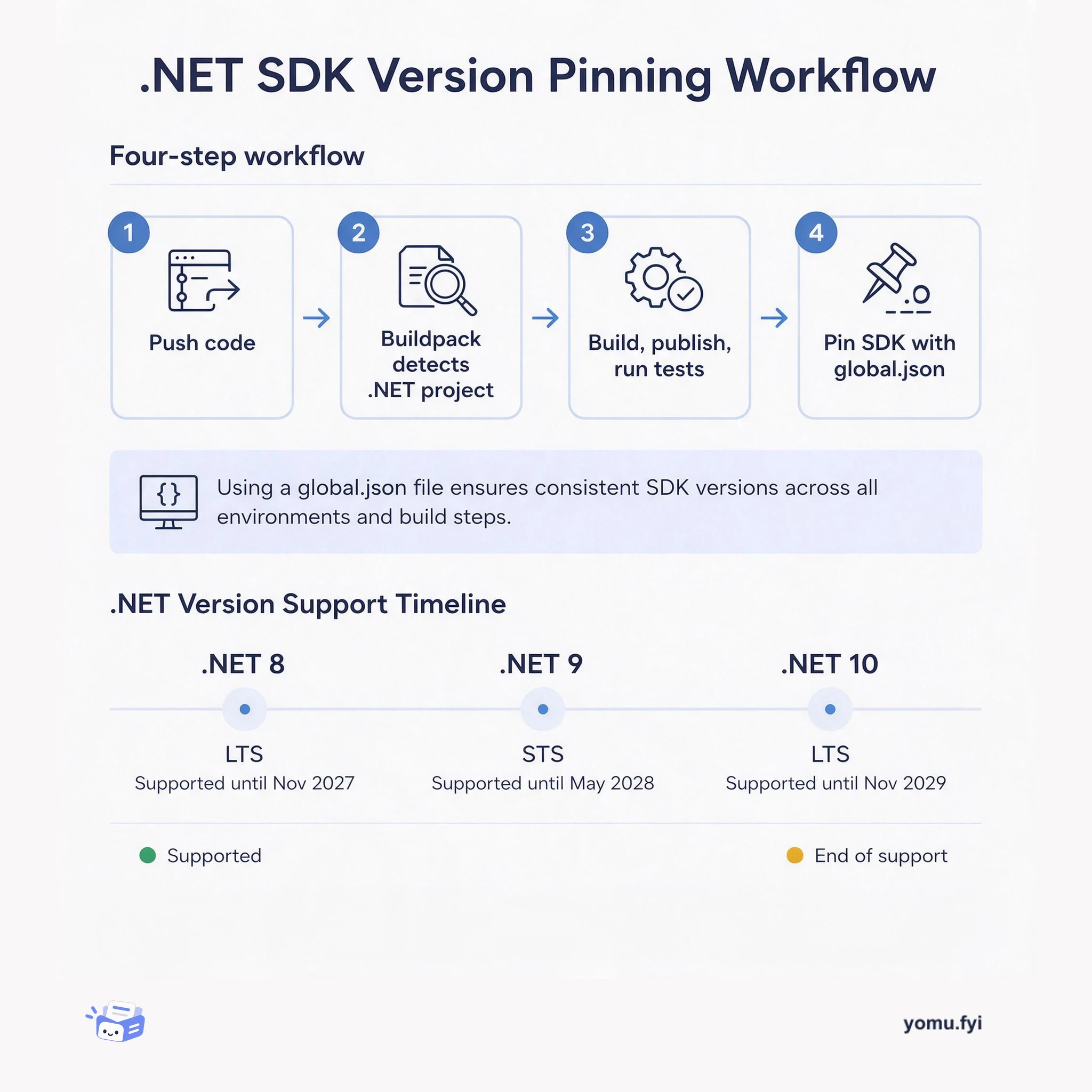
Heroku now supports building and running .NET 10 applications, including ASP.NET Core 10, C# 14, and F# 10, as the new three-year Long Term Support release becomes available. Its .NET buildpack detects single-file C# applications, installs the latest SDK, builds and publishes them, and configures web apps without project or solution files; it also supports both .sln and .slnx formats. Heroku CI continues to run dotnet test by default, with the .NET 10 SDK integrating the Microsoft Testing Platform into that command. .NET 8 and .NET 9 remain supported with updates but reach End of Support on November 10, 2026, while apps targeting net10.0 RC will use stable .NET 10 on their next push and can pin SDK versions through global.json.
The release of .NET 10 introduces a new three-year LTS version, while .NET 8 and .NET 9 are scheduled to reach End of Support on November 10, 2026. The update addresses the need for Heroku users to build and run new language and framework releases when they launch and to plan migrations from earlier versions.
Heroku updated its .NET buildpack and documentation for .NET 10, adding support for file-based apps, .slnx solution files, and the Microsoft Testing Platform integration used by Heroku CI. The buildpack detects single-file C# apps, installs the latest SDK, publishes them, and configures web applications; SDK versions can be pinned with global.json.
File-based ASP.NET Core 10 apps can be deployed from a single C# file without project or solution files; Heroku detects the .cs file and configures the application automatically.
The .NET 10 SDK makes .slnx the default solution format, and Heroku supports both .sln and .slnx files. Existing .sln files can be migrated with dotnet solution migrate.
Heroku CI runs dotnet test by default, and .NET 10 integrates the Microsoft Testing Platform directly into that command; custom test commands can be specified in app.json.
Summaries are generated from the original by a language model. Check the original before relying on it.
See the idea
Learn the step-by-step process for deploying .NET 10 applications to Heroku, from buildpack detection to SDK pinning, and understand the lifecycle of .NET LTS releases.
Keep reading
The Good Stuff
Paid picks we use ourselves. Links carry a referral code — a subscription through one earns us a commission at no extra cost to you.
One useful email. Unsubscribe anytime.
