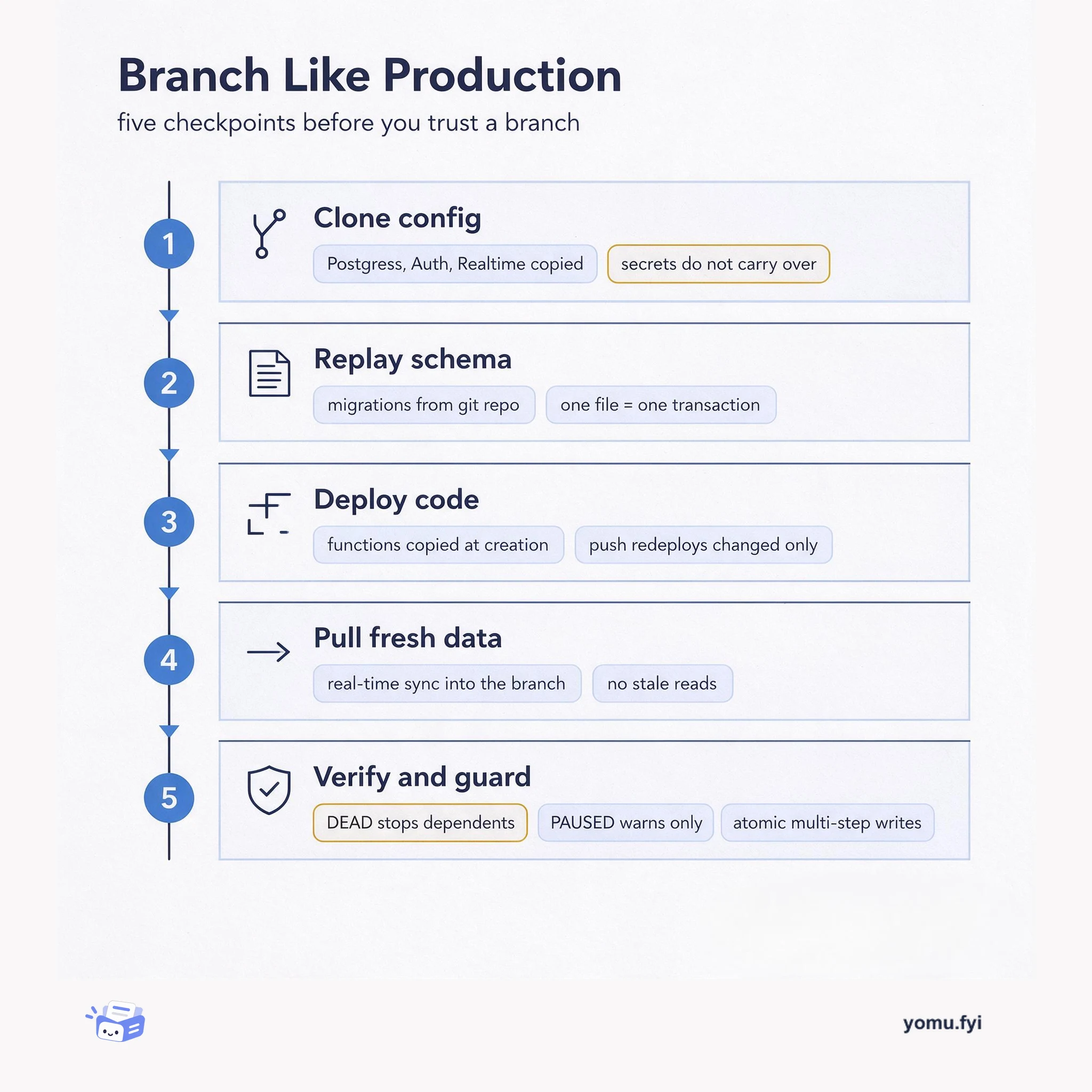
Branch Like Production: Five Checkpoints Before You Trust It
A five-checkpoint workflow for spinning up a database branch that behaves like production: clone config, replay migrations, deploy code, pull fresh data, then verify before you trust it.
 ClickhouseAnnouncement
Query Insights for ClickHouse Managed Postgres now includes wait event metrics that show what active sessions are waiting on, such as disk I/O, locks, or CPU. The Active sessions by wait type chart groups activity by wait_event_type, with categories like IO, Lock, and CPU, where CPU means a session is active with no reported wait event. A Waits table breaks down individual wait_event values, showing their average active sessions and share of total load; in the example, lock waits account for about 42% of load. Two additional charts, Blocked sessions and Lock wait time, display the number of sessions waiting on locks and the p50, p95, and maximum wait durations, with maximum lock waits repeatedly above 100 seconds. Wait event metrics are also available through the Managed Postgres Prometheus endpoint for custom Grafana dashboards and alerting, and ClickHouse Agents can help investigate wait events alongside slow queries.
Query Insights previously showed expensive queries and resource metrics like CPU, reads, and writes, but lacked visibility into what sessions were waiting on, such as locks or I/O. The new wait event metrics fill that gap.
The new wait event metrics include an Active sessions by wait type chart that groups activity by wait_event_type, a Waits table with individual wait_event values and their share of load, Blocked sessions and Lock wait time charts showing number of blocked sessions and wait durations, and Prometheus metrics for wait events and lock wait time.
Wait event metrics in Query Insights show the average number of active sessions per wait category and each category’s share of total load, helping identify whether the database is waiting on I/O, locks, or CPU.
Lock contention can be analyzed with Blocked sessions and Lock wait time charts, which display the number of sessions waiting on locks and the p50, p95, and maximum lock wait durations.
Wait event metrics are available through the Managed Postgres Prometheus endpoint, allowing custom Grafana dashboards and alerting on persistent lock contention.
CPU means a session is active with no reported wait event; it is not a direct measurement of CPU utilization.
Hover over a bar in the Active sessions by wait type chart to see specific events, or click the card to open the Waits table with individual wait_event values and their share of total load.
Yes, wait events are available through the Managed Postgres Prometheus endpoint, allowing you to graph active sessions by wait event and maximum lock wait time in Grafana and set up alerts.
Summaries are generated from the original by a language model. Check the original before relying on it.
See the idea
A five-checkpoint workflow for spinning up a database branch that behaves like production: clone config, replay migrations, deploy code, pull fresh data, then verify before you trust it.
Keep reading
The Good Stuff
Paid picks we use ourselves. Links carry a referral code — a subscription through one earns us a commission at no extra cost to you.
One useful email. Unsubscribe anytime.
