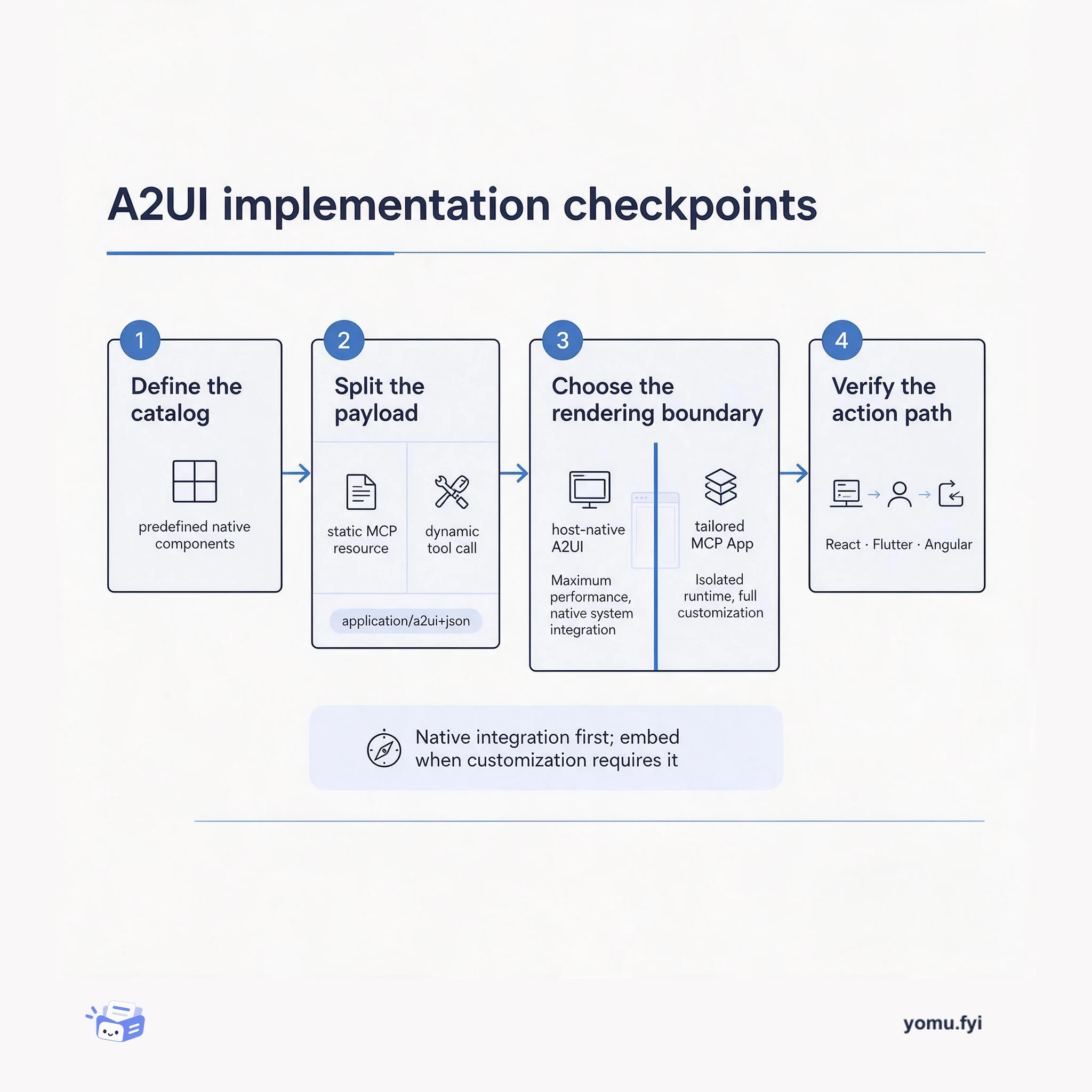
A2UI Implementation Checkpoints: Keep Agents and Rendering in Their Lanes
A practical guide to applying A2UI: define the component boundary, separate tool data from UI resources, choose native or embedded rendering, and verify the action path.
 GoogleGoogle A2UI Team, Ido Salomon, Liad YosefExplainer
Agentic UIs must balance deep customization with seamless integration: MCP Apps provide standard-web flexibility in an iframe, while A2UI renders declarative JSON through the host application's native components. The post presents three architectural patterns for combining them, including A2UI over MCP, where MCP servers return application/a2ui+json resources for native rendering and can separate static MCP Resources from dynamic Tool calls. This arrangement avoids iframe-related visual fragmentation, keeps backend tool access separate from frontend rendering, and supports rendering across React, Flutter, or Angular through a predefined component catalog. The broader combination also reserves MCP Apps for highly tailored experiences and describes A2UI in MCP Apps, where an embedded app can process A2UI responses and route user actions through an AppBridge; the conclusion recommends choosing among patterns according to project constraints.
Developers building agentic workflows face a trade-off between MCP Apps' deep customization and A2UI's secure, consistent, native rendering. MCP Apps use iframes and standard web technologies, which can introduce visual fragmentation, redundant scrollbars, performance concerns, and security-encapsulation challenges. A2UI avoids those issues but constrains developers to a predefined component library and can struggle with complex client-side logic.
The post presents three ways to combine A2UI and MCP Apps. In A2UI over MCP, servers deliver A2UI JSON through MCP Resources or Tool calls using the a2ui:// URI scheme and application/a2ui+json MIME type. Static resources support predictable interfaces, while dynamic tool results support live data and context-aware layouts. Other patterns place MCP Apps inside A2UI or use A2UI inside embedded MCP Apps, with AppBridge routing interactions and A2UI processing returned layouts.
A2UI sends declarative JSON rather than raw HTML, CSS, and JavaScript; the host renders trusted components from a predefined catalog using its own design system.
A2UI over MCP supports static delivery through resources/read and dynamic delivery through tools/call. Dynamic responses can return an embedded resource with the application/a2ui+json MIME type.
An embedded MCP App can use AppBridge to call server tools, extract A2UI resources from results, process them with the A2UI SDK, and route user actions back to the server.
Summaries are generated from the original by a language model. Check the original before relying on it.
See the idea
A practical guide to applying A2UI: define the component boundary, separate tool data from UI resources, choose native or embedded rendering, and verify the action path.
Keep reading
The Good Stuff
Paid picks we use ourselves. Links carry a referral code — a subscription through one earns us a commission at no extra cost to you.
One useful email. Unsubscribe anytime.
