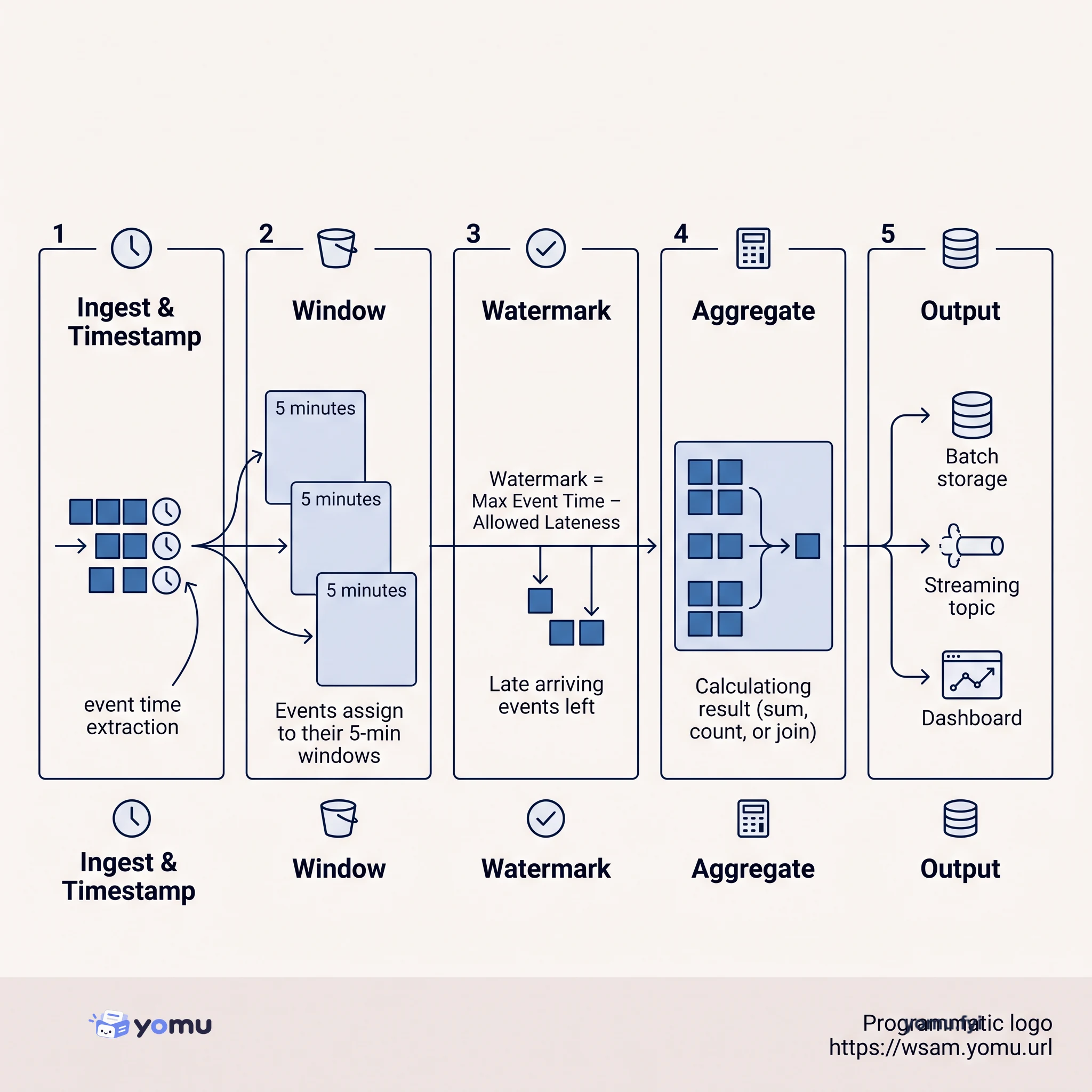
Apache Beam: Unified Batch and Stream Processing
Apache Beam is a unified programming model for batch and stream data processing. Learn how it handles event time, watermarks, and windowing to process data reliably at scale.
 Shopify2023-10-18Tutorial
Search relevance can use clickstream signals such as clicks and purchases to promote popular results and demote results users do not favor, but batch processing can delay those adjustments by days. The Discovery team at Shopify uses Apache Beam, a unified batch and stream processing system, to support real-time and historical search-behavior workflows, including boosting, popularity aggregates, offline evaluation sets, and reinforcement learning tasks. The article’s central lesson is that Beam requires careful handling of event time, processing time, delayed events, out-of-order data, and watermarks, especially when combining streams. A Kafka source can use Kafka processing time, client create time with a five-minute out-of-order allowance, or a custom timestamp policy that reads the SearchQueryEvent.searchTimestamp field; Beam windows add further buffering and lateness controls. Accurate timestamping is presented as the first milestone for replaying clickstream data reliably before tackling more complex operations such as streaming joins.
Search systems commonly process clickstream data in batch jobs over historical records, which can delay relevance adjustments by days. The work considers real-time use of clicks, purchases, and other search behavior while retaining access to historical data.
Use Apache Beam to unify batch and stream processing, beginning with a Kafka source in Java. Configure event timing through Kafka processing time, client create time with an allowed five-minute delay, or a custom TimestampPolicy based on SearchQueryEvent.searchTimestamp; Beam windows provide additional controls for buffering and late data.
Apache Beam can combine historical and real-time search-behavior processing in one pipeline instead of separating batch and streaming workflows.
Kafka sources default to processing time, but search use cases can configure client create time with a five-minute out-of-order allowance or define a custom timestamp policy.
Event time differs from processing time: historical data may replay quickly, while live data can require waiting for the configured event-time delay before processing late arrivals.
Summaries are generated from the original by a language model. Check the original before relying on it.
See the idea
Apache Beam is a unified programming model for batch and stream data processing. Learn how it handles event time, watermarks, and windowing to process data reliably at scale.
Keep reading
The Good Stuff
Paid picks we use ourselves. Links carry a referral code — a subscription through one earns us a commission at no extra cost to you.
One useful email. Unsubscribe anytime.
