The Supabase integration for Make is now available, connecting Supabase projects to Make’s visual workflow builder. Users can query databases, read logs, deploy Edge Functions, and manage projects as workflow steps. The integration offers two connection methods: pre-built Supabase API apps for deterministic steps, and an MCP client for AI agents that get structured access to projects. Scenarios work with live data without requiring exports, eliminating the need for nightly syncs. Make tracks every scenario run and agent tool call, and each MCP tool is annotated as read-only or destructive for governance.
Context
Make is an AI automation platform used by over 400,000 organizations to build workflows across 3,000+ connected apps. The new Supabase integration allows these workflows to directly query databases, read logs, deploy Edge Functions, and manage projects without requiring manual exports or nightly syncs.
Approach / What changed
The integration connects Supabase to Make via two methods: pre-built Supabase API apps for deterministic workflow steps, and an MCP client that gives Make AI Agents structured access to a Supabase project. Users build scenarios on a visual canvas or describe them in plain language to Make’s AI assistant Maia.
Takeaways
1
The integration provides two connection methods: pre-built Supabase API apps for deterministic steps and an MCP client for AI agents with structured project access.
2
Scenarios work with live Supabase data without requiring exports, removing the need for nightly syncs between systems.
3
Every MCP tool is annotated as read-only or destructive, and Make tracks all runs and agent calls for full visibility and governance.
FAQ
How can I connect Supabase to Make?
Two ways: use pre-built Supabase API apps for deterministic steps like querying signups every Monday, or use the MCP client to give a Make AI Agent structured access to your project so it can route errors or answer database questions.
How does the integration keep database actions safe?
Every tool the Supabase MCP server exposes is annotated as read-only or destructive, so you can see what a scenario can touch before it runs. Make also tracks every scenario run and agent tool call, giving both engineering and leadership visibility into database actions.
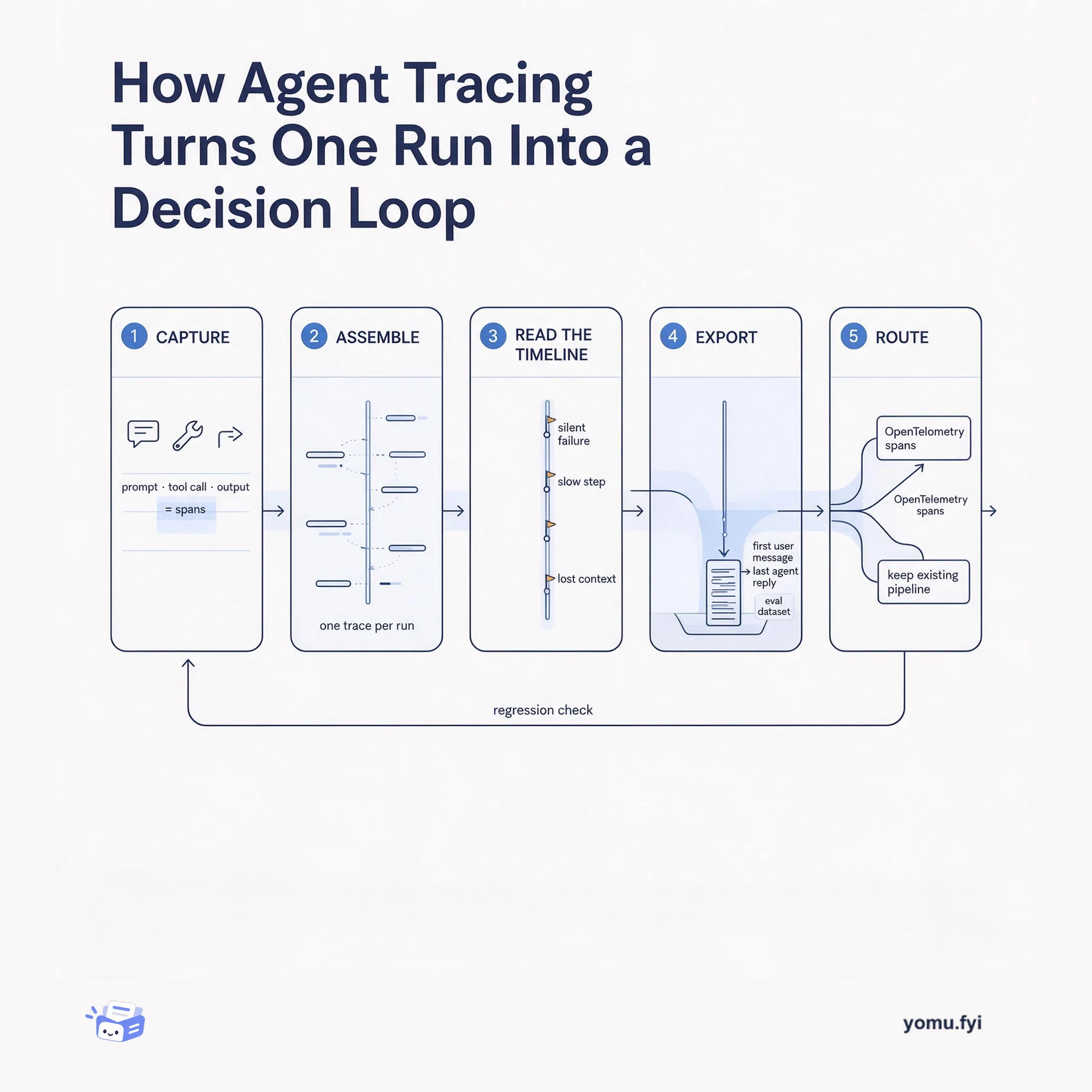
Agent tracing records prompts, tool calls, and outputs as one span-linked run, then turns that record into eval datasets, alerts, and regression checks. Here is the five-stage flow from capture to decision.
Keep reading
Related reading
The Good Stuff
Paid picks we use ourselves. Links carry a referral code — a subscription through one earns us a commission at no extra cost to you.