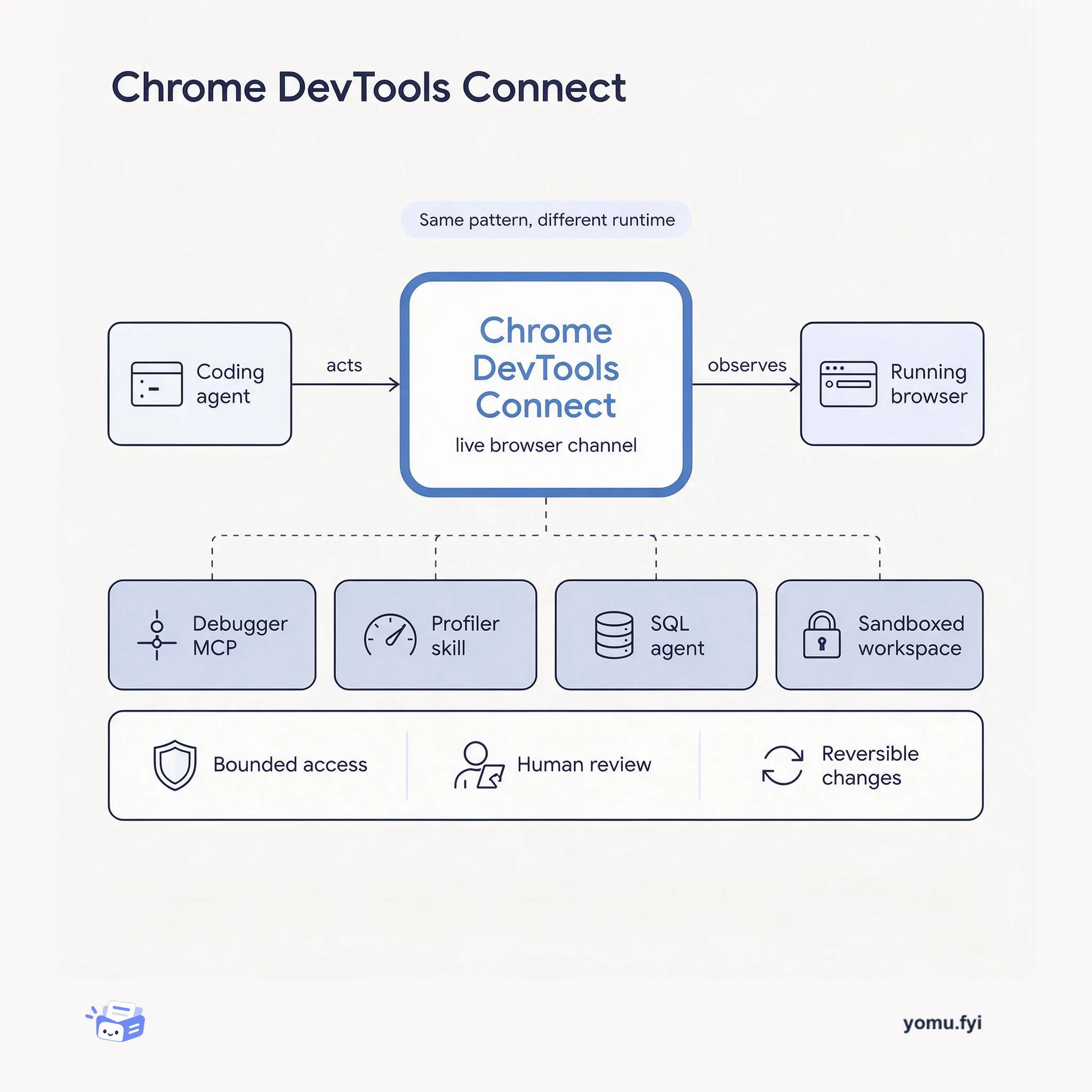
Chrome DevTools Connect: A Live Channel Between Agents and the Browser
Chrome DevTools Connect gives coding agents a live channel into the browser's DevTools so they can run browser tests and drive fix cycles instead of reasoning from source alone.
 JetbrainsRichie MitishAnnouncement
DataGrip 2026.3 includes JetBrains Air by default, enabling AI agents to run SQL with syntax highlighting and reference database objects using @dbObject notation, with results viewable in a full-featured data editor within the chat. A new Workspace data source based on DuckDB allows joining tables from different data sources and DBMSs using a special syntax, eliminating the need to copy data between systems. DuckDB receives complete support with a dedicated SQL dialect, code completion, introspection, and three connection types: default file, in-memory, and URL-only. The UI revamp adds a Database Output tool window with automatic tab following, updated default shortcuts (Cmd+2 for Agent Sessions, Cmd+4 for Files), and enhanced column management including pinning, auto-resize, and the Manage Columns popup. Additional improvements include MariaDB sequences and package support, PostgreSQL 19 compatibility, and better transaction control with manual mode commit/rollback button state for PostgreSQL, Greenplum, MySQL, MariaDB, and Oracle.
JetBrains Air is enabled by default as an AI agent interface. A Workspace data source powered by DuckDB enables cross-database queries. DuckDB receives full dialect and introspection support. The UI adds a Database Output tool window, updates shortcuts, and improves column management with pinning, auto-resize, and the Manage Columns popup. MariaDB packages and sequences are introspected. PostgreSQL 19 syntax and functions are recognized. Transaction controls are refined for manual mode.
JetBrains Air agents can execute SQL directly in chat using the Run Query button, with results shown in a data editor that supports sorting and search. Use @dbObject notation to reference database objects with completion and Quick Definition.
The Workspace data source based on DuckDB allows querying and joining tables across different data sources, even across different DBMSs, without copying data. It uses a special syntax in query consoles.
The data editor now supports pinning columns, auto-resizing columns to fit width, and the Manage Columns popup for finding, showing, hiding, ordering, and pinning columns. The Open in Editor Tab and SQL buttons provide quick access.
Use the @dbObject notation with completion in the chat prompt. DataGrip will help you find the object, and you can preview it with Quick Definition.
The Workspace data source is based on DuckDB and allows querying data across different data sources, even different DBMSs. You use a special syntax in its query consoles to reference and join tables from other data sources.
Three types: default (connects to a DuckDB database file), In-memory (creates a database in memory), and URL only (uses the provided JDBC URL as is).
Summaries are generated from the original by a language model. Check the original before relying on it.
See the idea
Chrome DevTools Connect gives coding agents a live channel into the browser's DevTools so they can run browser tests and drive fix cycles instead of reasoning from source alone.
Keep reading
The Good Stuff
Paid picks we use ourselves. Links carry a referral code — a subscription through one earns us a commission at no extra cost to you.
One useful email. Unsubscribe anytime.
