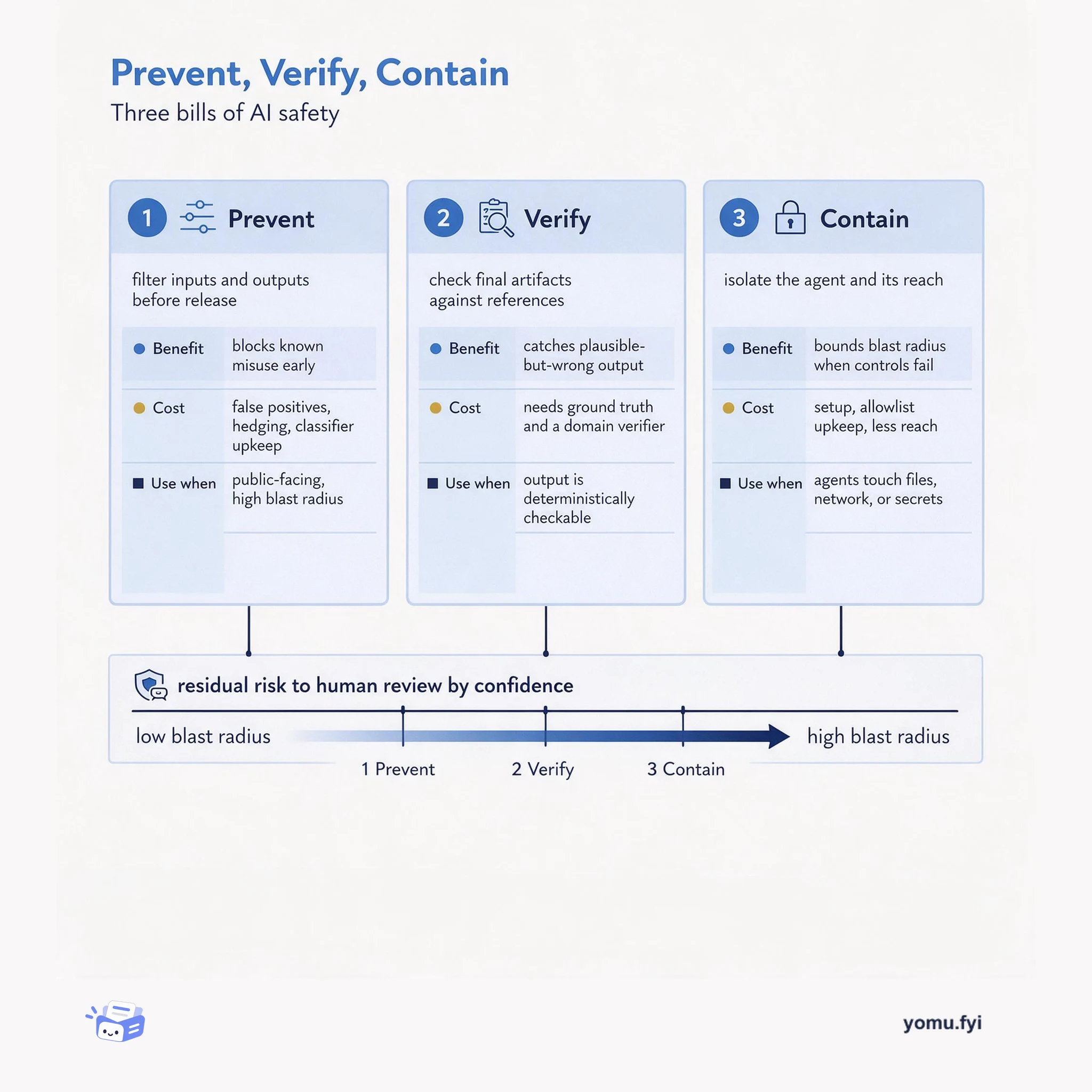
Prevent, Verify, Contain: The Three Bills of AI Safety
AI safety is a budget: prevention, verification, and containment each buy different protection at a different cost. This map shows what each control costs and when it pays off.
 JetbrainsDennis UshakovExplainer
AI agents require sandboxing to restrict file, network, and system access, preventing unintended modifications and data leakage. The post categorizes five agent execution modes into local (workspace, git worktree) and remote (SSH, Docker, Cloud), with remote modes providing stronger isolation by default. In JetBrains Air, each cloud agent task runs in its own VM with the agent inside a Docker container, and all network connections are routed through a proxy that allows only trusted domains by default. Secrets are stored encrypted and exposed as environment variables, and the agent operates within the developer’s repository permissions. Cloud-based execution reduces local setup requirements and gives organizations control over network access policies, with cloud agents currently available to organizational users via Air in IDEs and Air Teams.
The need for sandboxing AI agents to prevent unintended system modifications, data leakage, and exploitation risks, and the trade-offs of five execution modes: local workspace, git worktree, SSH, Docker, and cloud-based execution.
Each task in JetBrains Air starts a VM in the cloud, and the agent runs in a Docker container within that VM. A proxy routes all connections from the agent container, allowing only a preset list of trusted source control and package registry domains by default. Secrets are stored encrypted and exposed as environment variables, and the agent operates within the developer’s repository permissions.
AI agents can easily escape their current working directory without sandboxing, requiring OS-level tools or client enforcement.
Remote execution modes like Docker and cloud isolate the agent from the developer’s machine by default, reducing local setup.
In JetBrains Air each task runs in its own VM with the agent in a Docker container behind a network proxy that restricts access to trusted domains by default.
Each task starts a VM in the cloud, the agent runs in a Docker container within that VM, and a proxy routes all connections from the agent container, allowing only trusted domains by default. Secrets are encrypted and the agent uses the developer's repository permissions.
Local workspace, git worktree, SSH, Docker, and cloud. Local modes can escape the working directory; remote modes like Docker and cloud isolate by default.
To restrict file, network, and system access, preventing unintended modifications, data leakage, and exploitation when the agent behaves unexpectedly or is compromised.
Summaries are generated from the original by a language model. Check the original before relying on it.
See the idea
AI safety is a budget: prevention, verification, and containment each buy different protection at a different cost. This map shows what each control costs and when it pays off.
Keep reading
The Good Stuff
Paid picks we use ourselves. Links carry a referral code — a subscription through one earns us a commission at no extra cost to you.
One useful email. Unsubscribe anytime.
