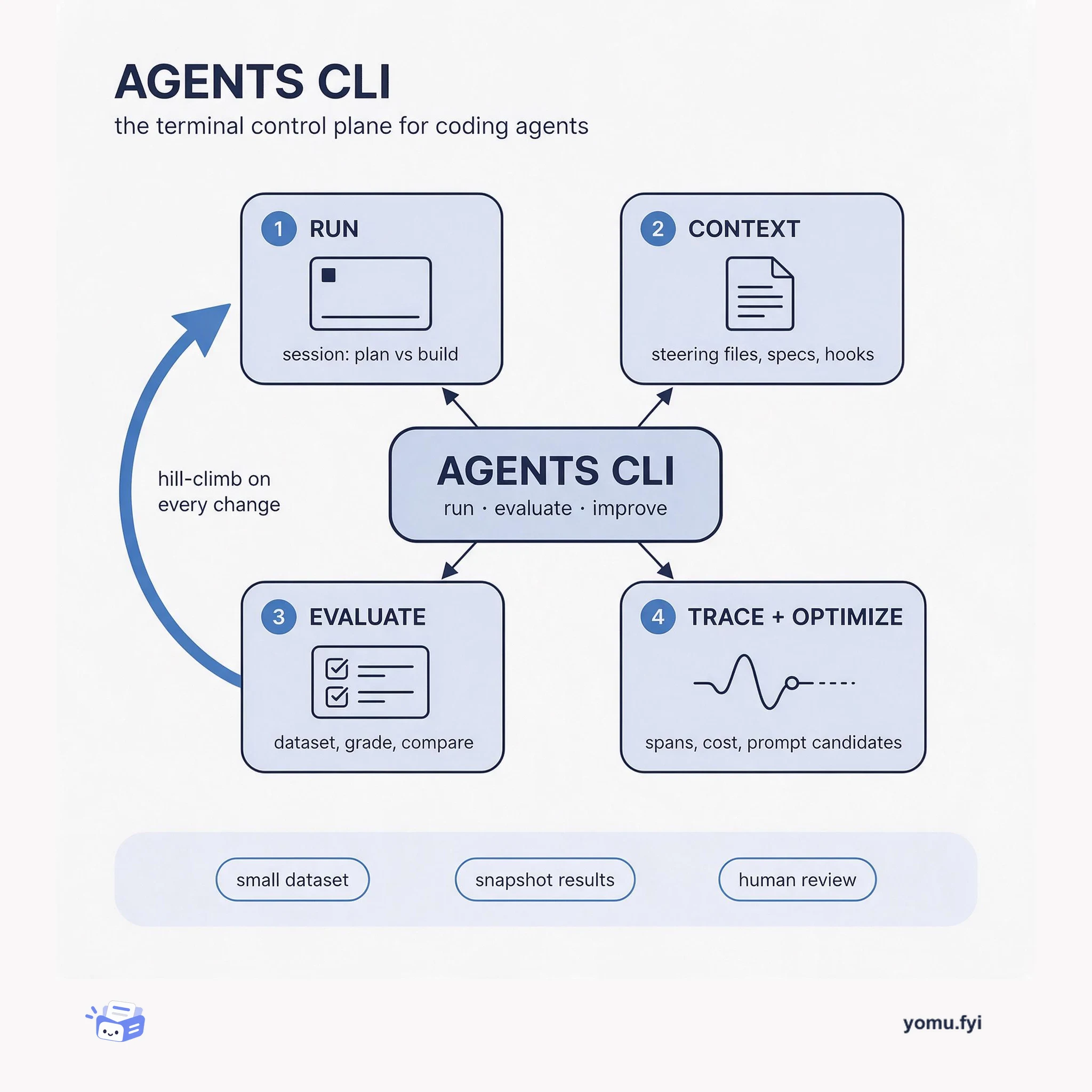
Agents CLI: The Terminal Control Plane for Coding Agents
Agents CLI is the command-line surface where you run a coding agent, score its output against a dataset, and trace what happened, so quality becomes a loop instead of a guess.
 JetbrainsHelena KlauseAnnouncement
Junie Eco Mode splits coding tasks into two phases: planning with the user’s selected model and implementation with a cheaper model, cutting costs significantly. In two internal benchmarks, average model cost per task dropped 57.3% (benchmark B) and 48.1% (benchmark A), while average resolve rates changed by less than one percentage point. The architect only reads code and produces a structured plan in about 15 steps, never making changes. The builder then follows the plan exactly, editing files, running builds and tests, and fixing issues. Eco mode is enabled by default for many configurations in JetBrains Air EAP and Junie CLI.
AI coding agents typically run a single expensive model for every step of a task, including repetitive execution steps like ‘run the tests again’, leading to unnecessary costs.
Eco mode reduced average model cost per task by 48% to 57% on internal benchmarks across 50 model-and-effort configurations, while average resolve rate changed by less than one percentage point.
The architect model produces a structured plan (Goal, Scope, Where, Approach, Tests, Risks) in about 15 steps without writing code; the builder model then implements the plan exactly.
Eco mode is enabled by default in JetBrains Air EAP and Junie CLI for many configurations, but can be disabled; it only activates for code-change tasks and is unavailable for certain model/effort combos.
Junie avoids upfront guessing because task difficulty is unpredictable from the request. Eco mode has the smart model always look first, ensuring every task gets planning from the expensive model, then the cheap model executes a written plan.
Eco mode only activates for tasks that require code changes you intend to keep. For questions, explanations, project setup, or read-only commands, the chosen model handles the entire task. It is also unavailable in /remote sessions and with some model-and-effort combinations.
The architect model creates a structured plan with fixed fields (Goal, Scope, Where, Approach, Tests, Risks). The builder model receives the entire conversation plus the plan and executes without switching back to the expensive model. Each task has a single handoff.
Summaries are generated from the original by a language model. Check the original before relying on it.
See the idea
Agents CLI is the command-line surface where you run a coding agent, score its output against a dataset, and trace what happened, so quality becomes a loop instead of a guess.
Keep reading
The Good Stuff
Paid picks we use ourselves. Links carry a referral code — a subscription through one earns us a commission at no extra cost to you.
One useful email. Unsubscribe anytime.
