Chrome DevTools Connect: A Live Channel Between Agents and the Browser
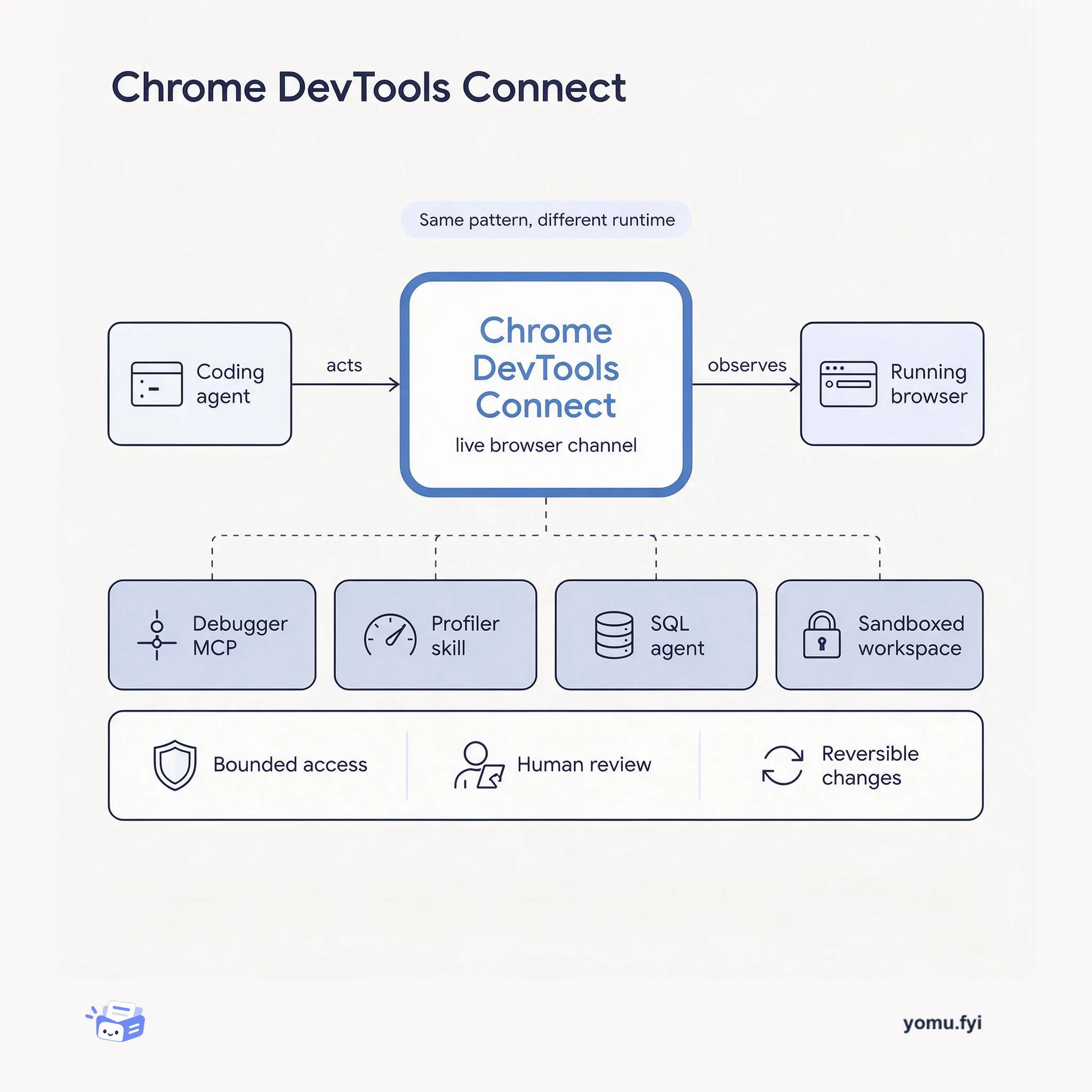
Chrome DevTools Connect gives coding agents a live channel into the browser's DevTools so they can run browser tests and drive fix cycles instead of reasoning from source alone.
 JetbrainsValeriya MasyachenkoAnnouncement
WebStorm 2026.3 introduces JetBrains Air, a new agentic development layer that lets developers run multiple coding agents in parallel within the IDE. The release connects design to production with Figma Connect, which provides an Inspect panel for design tokens and CSS values, Storybook Connect for component browsing and AI-generated stories, and Chrome DevTools Connect for agent-led browser testing and fix cycles. Air works with Claude Agent, GitHub Copilot, Junie, and other ACP-compatible agents, detecting installed agents and supporting third-party subscriptions without requiring a JetBrains AI subscription; a free Junie Lite configuration is included. Platform updates include sound cues for accessibility events such as builds, tests, and breakpoint hits, plus automatic error and freeze reporting with personal data removed. Framework improvements include stable TypeScript 7 support for Angular and React, cutting project load time on Kibana from 12 seconds to three, along with fixes for Sass, Vitest, and Mocha.
This release focuses on integrating agentic development into the IDE through JetBrains Air and connecting design, code, and production workflows with direct integrations for Figma, Storybook, and Chrome DevTools.
JetBrains Air supports multiple agents in parallel, including Claude Agent, Codex, Gemini, GitHub Copilot, Junie, and OpenCode, and detects agents already installed on the machine.
Figma Connect’s Inspect panel provides exact CSS values, colors, and design tokens from Figma layers directly in the IDE, which can be sent to any agent.
Chrome DevTools Connect allows agents to open pages, inspect DOM, read console logs, take screenshots, and reproduce runtime issues, then fix them before returning results.
No, Air does not require a JetBrains AI subscription. It works with your existing provider subscriptions, API keys, and custom base URLs. A free Junie Lite configuration is included, requiring only a JetBrains Account.
Figma Connect requires one-time setup. After connecting your Figma account, you can browse layers, inspect design details with the Inspect panel, and send design context to any agent from within WebStorm.
Yes, TypeScript 7 support is stable and can be selected for Angular and React projects without migrating or changing your project’s TypeScript version.
Summaries are generated from the original by a language model. Check the original before relying on it.
See the idea
Chrome DevTools Connect gives coding agents a live channel into the browser's DevTools so they can run browser tests and drive fix cycles instead of reasoning from source alone.
Keep reading
The Good Stuff
Paid picks we use ourselves. Links carry a referral code — a subscription through one earns us a commission at no extra cost to you.
One useful email. Unsubscribe anytime.
