Machine learning models require compilation steps such as quantization, graph lowering, operator fusion, and hardware delegation when deployed to edge devices. During deployment, engineers must verify structural integrity, full accelerator delegation, and cycle-level performance bottlenecks. Arm built open-source adapters for Google AI Edge Model Explorer to visualize Arm-specific intermediate representations including VGF and TOSA. Inspecting a VGF graph of a PyTorch Neural Super Sampling model uncovered unintended TRANSPOSE operators introduced by a backend change. For an Ultralytics YOLO model, split-pane view confirmed complete NPU delegation without CPU fallback, and per-node cycle-accurate tracing with color-coded heatmaps identified a single TRANSPOSE node as the primary latency bottleneck.
Context
Deploying machine learning models to edge hardware like NPUs and GPUs requires transformations that can introduce unintended operators, partial delegation, or performance bottlenecks. Arm needed a visual tool to inspect Arm-specific intermediate representations and hardware profiling traces without manual analysis of flatbuffers or text logs.
Approach / What changed
Arm developed custom adapters for Google AI Edge Model Explorer supporting TOSA, VGF, and PTE formats. Using Model Explorer’s hierarchical graph visualization and plugin architecture, they enabled three workflows: inspecting VGF graphs for unintended operators, comparing CPU and NPU delegation graphs in split-pane view, and overlaying cycle-accurate execution traces as heatmaps on graph nodes.
Takeaways
1
Model Explorer’s hierarchical graph visualization and plugin architecture allow developers to create custom adapters for compiler IRs like VGF and TOSA, enabling inspection of exported model graphs.
2
Split-pane view lets engineers compare CPU and NPU-delegated graphs side by side, immediately revealing structural differences such as fully delegated blocks versus CPU fallback subgraphs.
3
Per-node cycle-accurate traces overlaid via the node data plugin pinpoint specific operators causing latency bottlenecks, as demonstrated by a single TRANSPOSE node dominating execution cycles.
FAQ
How to catch unintended operators in exported edge model graphs?
Use Model Explorer to inspect the exported graph in the target format (e.g., VGF). The hierarchical view shows each operator and its attributes, making it easy to spot unintended nodes like TRANSPOSE that were introduced by backend changes.
How to verify that a model is fully delegated to an NPU?
Open the CPU and NPU-delegated graphs in Model Explorer's split-pane view. A fully delegated NPU graph will show the network grouped into a single block between quantize and dequantize nodes, while the CPU graph displays individual layers.
How to identify which operator causes a performance bottleneck?
Run the model on a simulator to collect cycle-accurate traces, then use Model Explorer's node data plugin to overlay the traces as color-coded heatmaps on the graph. Nodes with high cycle counts are visually highlighted, revealing the bottleneck operator.
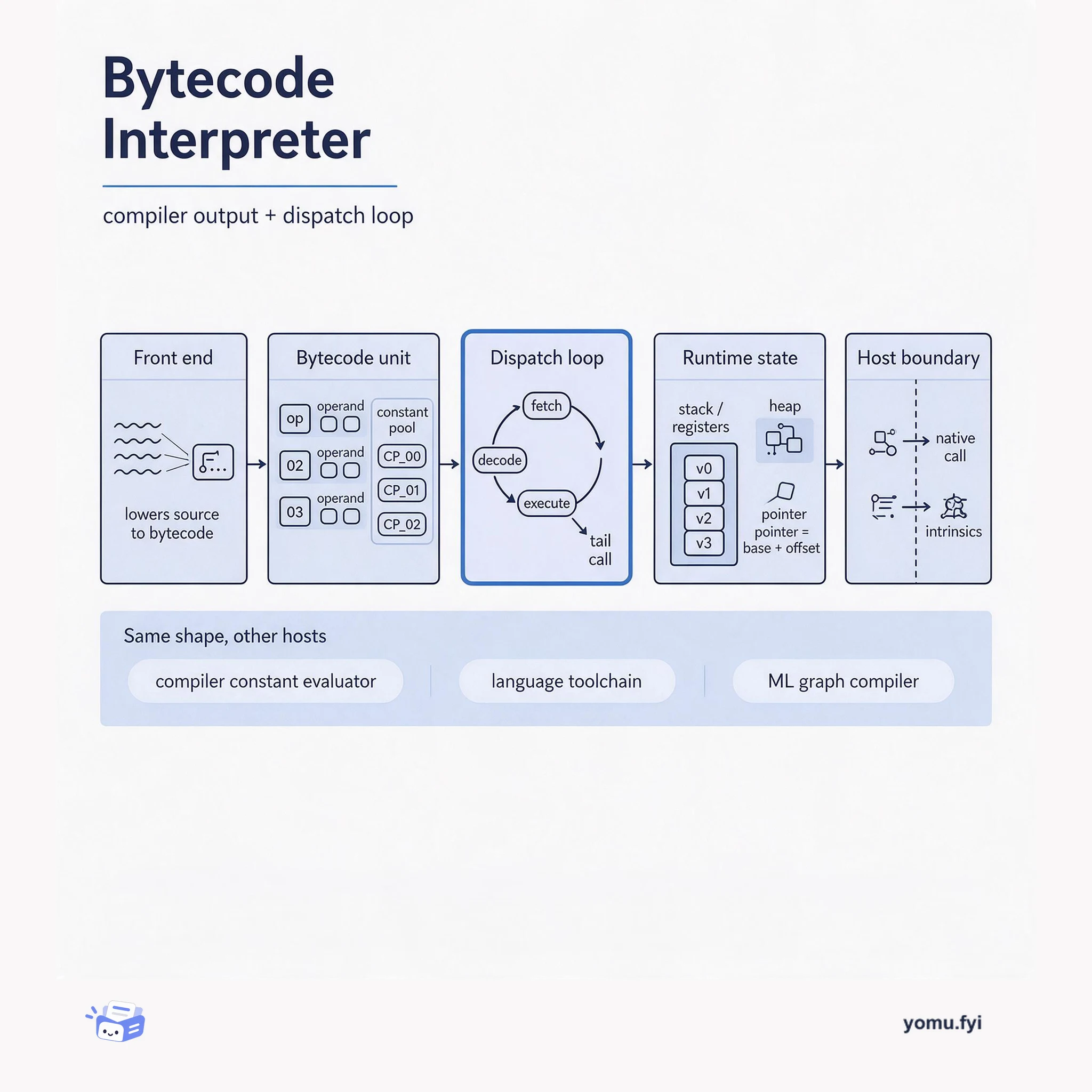
A bytecode interpreter is a compiler's output plus a loop that runs it. This explainer maps its five parts — bytecode, dispatch loop, runtime state, and the host boundary — and why the shape repeats.
Keep reading
Related reading
The Good Stuff
Paid picks we use ourselves. Links carry a referral code — a subscription through one earns us a commission at no extra cost to you.