Claude Code runs commands on your local machine, but tasks like cross-platform builds or heavy compilation benefit from a remote VM. This guide connects Claude Code to a cloud Linux VM through the BoxCompute MCP server, enabling Claude to create, start, and stop VMs, run commands with up to 15-minute background execution, read and write files under /workspace, and generate one-hour public preview links for ports. Setup takes about two minutes: add the MCP server via a CLI command, authenticate through a browser sign-in, then ask Claude in plain language to create a VM and work on it. A small VM costs roughly $0.05 per hour, stops after thirty minutes of idle time, and retains files for later use. The same MCP server works with Codex and Cursor, requiring only an API key file.
Context
Claude Code operates locally but sometimes needs cloud resources for cross-platform builds, isolated environments, or shareable preview links. BoxCompute’s MCP server adds on-demand VM capabilities directly accessible through Claude Code’s MCP interface.
Approach / What changed
Add the BoxCompute MCP server to Claude Code via the CLI, authenticate through a browser, then ask Claude in natural language to create and manage VMs.
Takeaways
1
Setting up a BoxCompute VM for Claude Code takes about two minutes: add the MCP server, sign in via browser, then prompt Claude to create and work on a VM.
2
VMs are billed per second at $0.05/hour for Small and $0.15/hour for Large, with a one-minute minimum; stopped VMs incur no charges.
3
A VM auto-stops 30 minutes after the last agent activity, but can be explicitly stopped by Claude; the /workspace and installed packages persist across stops.
FAQ
What does a BoxCompute VM cost?
A running VM is billed per second: Small is about $0.05/hour, Large about $0.15/hour, with a one-minute minimum. Stopped VMs cost nothing. Claude Code's model usage is billed separately by Anthropic.
How long does a VM stay alive?
A VM auto-stops 30 minutes after Claude last used it, preserving its /workspace files and installed packages for the next session. A preview link expires one hour after creation. You can also explicitly stop a VM via Claude.
Can I use the BoxCompute MCP server with other AI coding tools?
Yes, the MCP server works with Codex by running 'codex mcp add boxcompute' and then 'codex mcp login'. For Cursor, add the configuration to ~/.cursor/mcp.json with an API key.
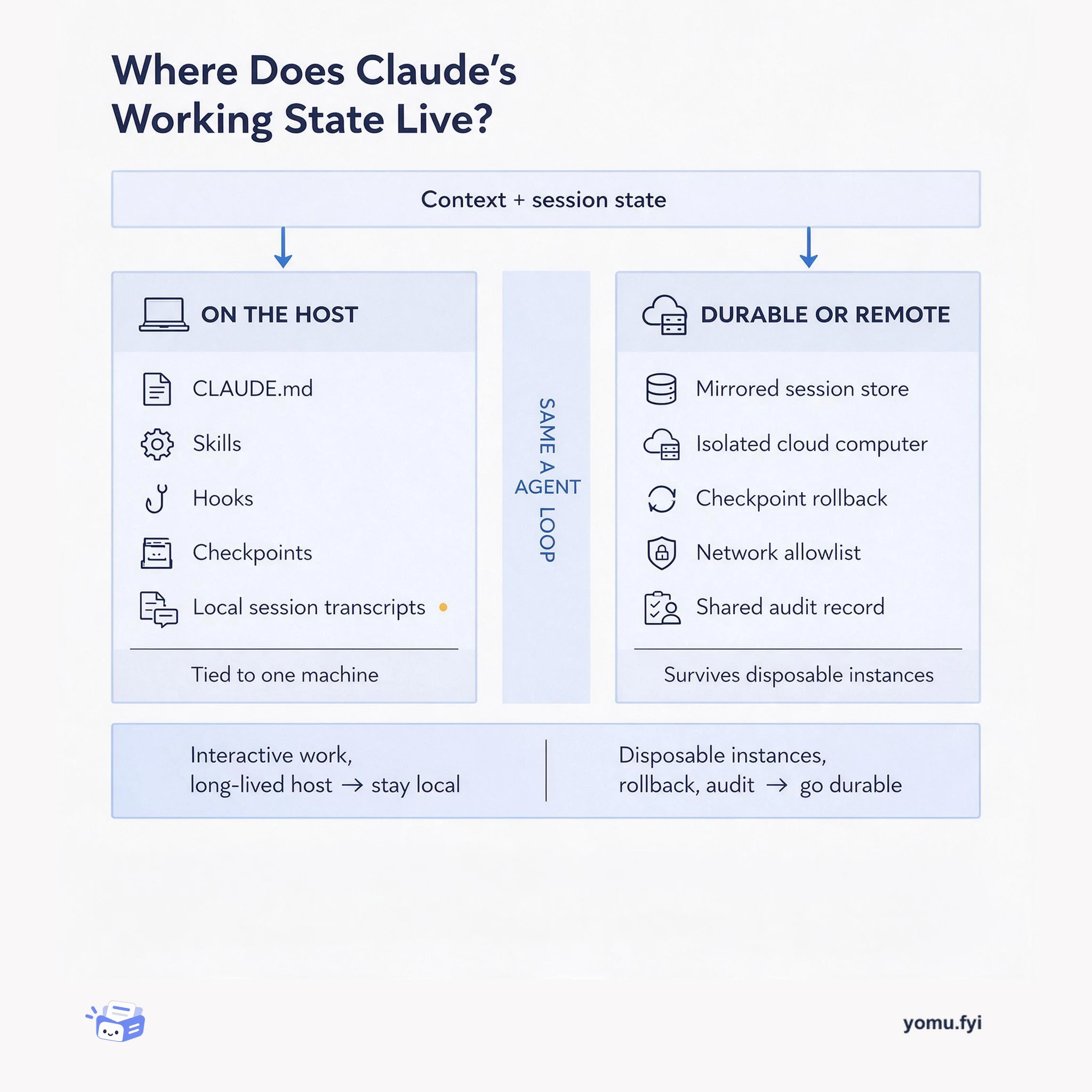
Compare two places to keep Claude's working state: curated files on your own machine versus a durable session store or isolated cloud computer, and learn which one fits your deployment.
Keep reading
Related reading
The Good Stuff
Paid picks we use ourselves. Links carry a referral code — a subscription through one earns us a commission at no extra cost to you.