Agents CLI: The Terminal Control Plane for Coding Agents
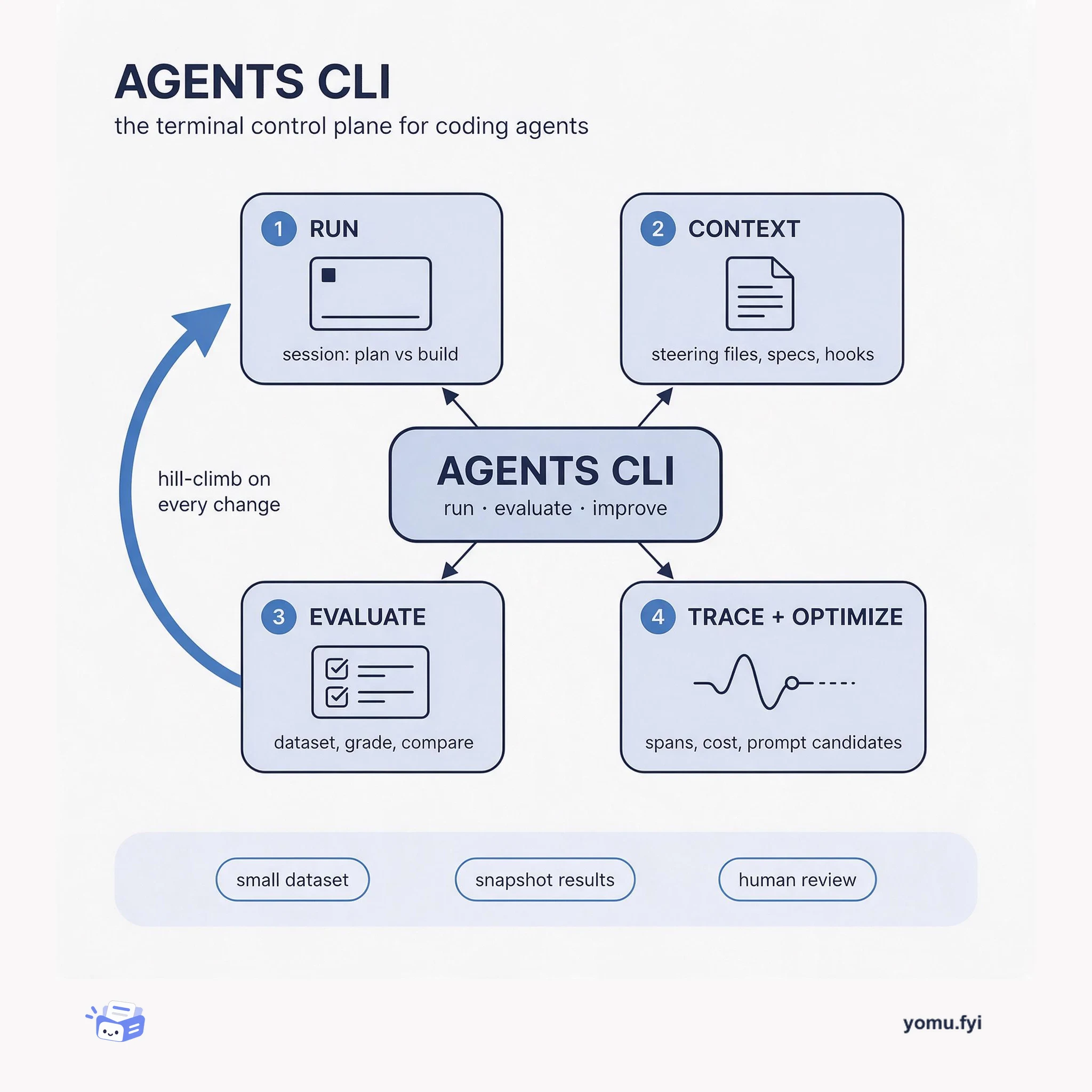
Agents CLI is the command-line surface where you run a coding agent, score its output against a dataset, and trace what happened, so quality becomes a loop instead of a guess.
 GooglePier Paolo Ippolito, Elia SecchiTutorial
The Agents CLI eval namespace supports a hill-climbing quality loop through iterative generate, grade, compare, analyze, and optimize commands. Starting with a four-case dataset expanded from a single default, the first eval run produces a baseline mean score of 4.0 on the custom_response_quality metric with a standard deviation of 1.41. A regression introduced by a swapped chef persona system prompt dropped the mean to 2.75, and the per-case diff from eval compare revealed tool misuse on weather questions that unit tests could not catch. The workflow supports automated prompt optimization via eval optimize using GEPA, but the candidate prompts require human review to avoid overfitting to the metric. Effective hill-climbing requires a small dataset that runs on every change, snapshotting full result files for later regression analysis, and treating summary metrics with suspicion as shown by the stdev tightening from 1.41 to 0.96 during the regression.
Production agent quality requires continuous evaluation loops rather than one-shot demos, as changes to models, prompts, and tools can cause regressions that unit tests cannot catch.
Use the Agents CLI eval namespace: create a small dataset of representative cases, run eval generate and eval grade for a baseline, then iterate through prompt or model changes, re-running the eval and using eval compare for per-case diffs. Use eval optimize for automated prompt hill-climbing with GEPA, with human review of candidate prompts. Schedule automated runs and snapshot full result files for traceability.
A small, representative dataset (e.g., four cases that run in under a minute) encourages running evals on every change, catching regressions early, whereas a large comprehensive dataset becomes a release gate or shelfware.
Snapshotting full eval result JSON files, not just mean scores, enables detailed regression analysis with eval compare weeks later when a change surfaces, providing the per-case breakdown needed for diagnosis.
More evals do not automatically lead to more fixes; a controlled study found coding agents using the CLI ran four times as many evals but changed the agent after an eval only as often as the baseline.
eval compare reads two result JSON files and produces a structured diff showing which per-case scores changed and by how much, enabling precise identification of regressions that mean scores alone would miss.
A small dataset (e.g., four cases running in under a minute) encourages running evals on every change, whereas a large dataset becomes a release gate or shelfware that few run on each change.
eval optimize only adjusts the agent's prompt, not tools or model, and may overfit to the metric's wording, so the candidate prompts require human review before promotion.
Summaries are generated from the original by a language model. Check the original before relying on it.
See the idea
Agents CLI is the command-line surface where you run a coding agent, score its output against a dataset, and trace what happened, so quality becomes a loop instead of a guess.
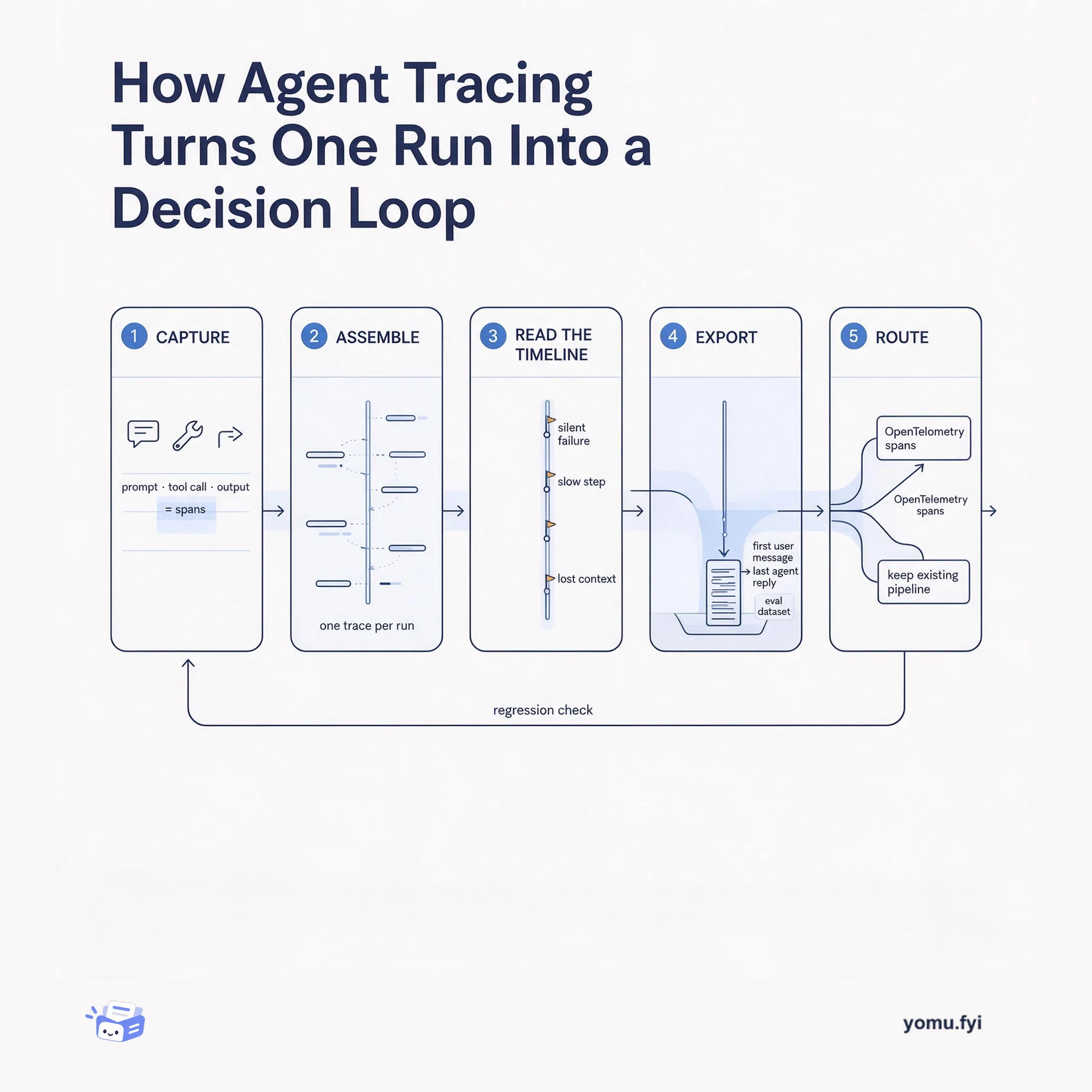
Agent tracing records prompts, tool calls, and outputs as one span-linked run, then turns that record into eval datasets, alerts, and regression checks. Here is the five-stage flow from capture to decision.
Keep reading
The Good Stuff
Paid picks we use ourselves. Links carry a referral code — a subscription through one earns us a commission at no extra cost to you.
One useful email. Unsubscribe anytime.