Modal has launched VM Sandboxes in general availability, providing agents with full Linux VMs accessible via a single flag. The VMs support Docker stacks, local databases, dev servers, and other real-machine features that agents increasingly require, as demonstrated by Ramp’s internal agent driving the entire software development lifecycle. Modal built a custom runtime on the Rust-based Cloud Hypervisor, layering innovations in host filesystems, lazy image loading, memory bursting, and snapshotting to preserve the same APIs and sub-second cold starts as their existing gVisor Sandboxes. Early customers like Linear, Legora, and Snorkel have launched over 20 million VMs, using them for coding sessions, legal agent evaluations, and agent simulations that require multiple containers and real-world environments. Modal recommends using VM Sandboxes when workloads need Docker, FUSE filesystems, or niche kernel features, while gVisor remains the default for compatible workloads.
Context
Modal’s existing gVisor-based Sandboxes provided lightweight container isolation but limited agents’ ability to run Docker, FUSE filesystems, or kernel-level operations. Agents increasingly need full Linux VMs for realistic environments, as demonstrated by Ramp’s internal agent driving the entire software development lifecycle on Modal Sandboxes.
Approach / What changed
Modal built a custom VM runtime on the Rust-based Cloud Hypervisor, adding host filesystem innovations, lazy image loading, memory bursting, and snapshotting to preserve the same APIs and sub-second cold starts as their gVisor Sandboxes.
Takeaways
1
VM Sandboxes support Docker, FUSE filesystems, and niche Linux kernel features that gVisor Sandboxes cannot.
2
Switching from gVisor to VM Sandboxes requires only a single flag change, sharing the same APIs, Images, and pricing.
3
Early customers have launched over 20 million VMs for use cases like coding sessions, legal agent evaluations, and agent simulations.
FAQ
When should I use VM Sandboxes instead of gVisor Sandboxes?
Use VM Sandboxes when your workload requires Docker, FUSE filesystems, or niche Linux kernel features. If your workload runs happily on gVisor, it will continue to work; gVisor remains the default runtime.
How do I switch from gVisor to VM Sandboxes?
Switching is as simple as adding runtime="vm" flag. Both runtimes share the same APIs, Images, and usage-based pricing, making it a drop-in change.
What technical changes did Modal make to support VM Sandboxes?
Modal built a custom runtime on the Rust-based Cloud Hypervisor, adding innovations in host filesystems, lazy image loading, memory bursting, and snapshotting to preserve the same APIs and sub-second cold starts.
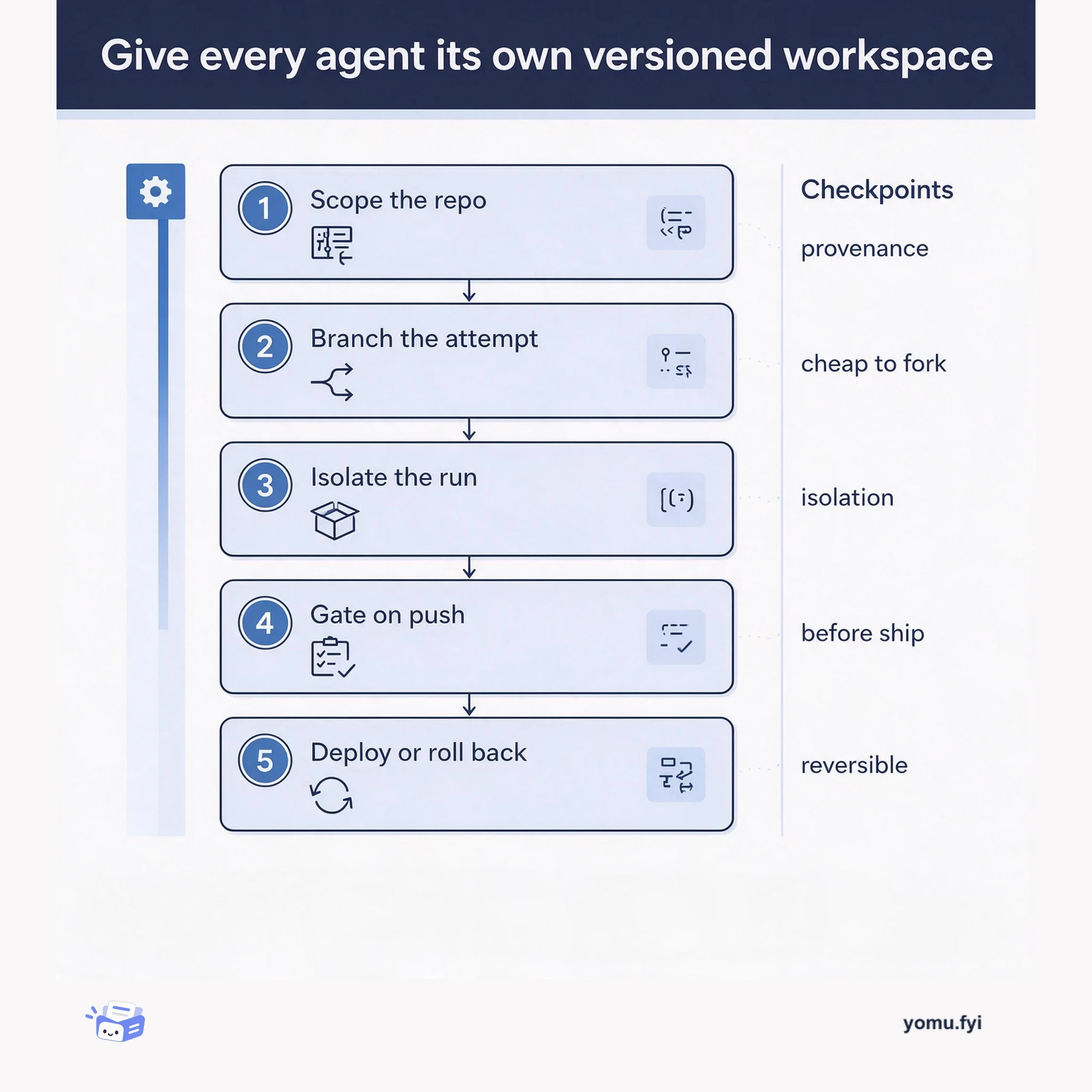
A five-step workflow for turning agent output into versioned artifacts: scope a repo per agent, branch instead of copying, run in an isolated sandbox, gate changes with push-triggered evals, then deploy or roll back.
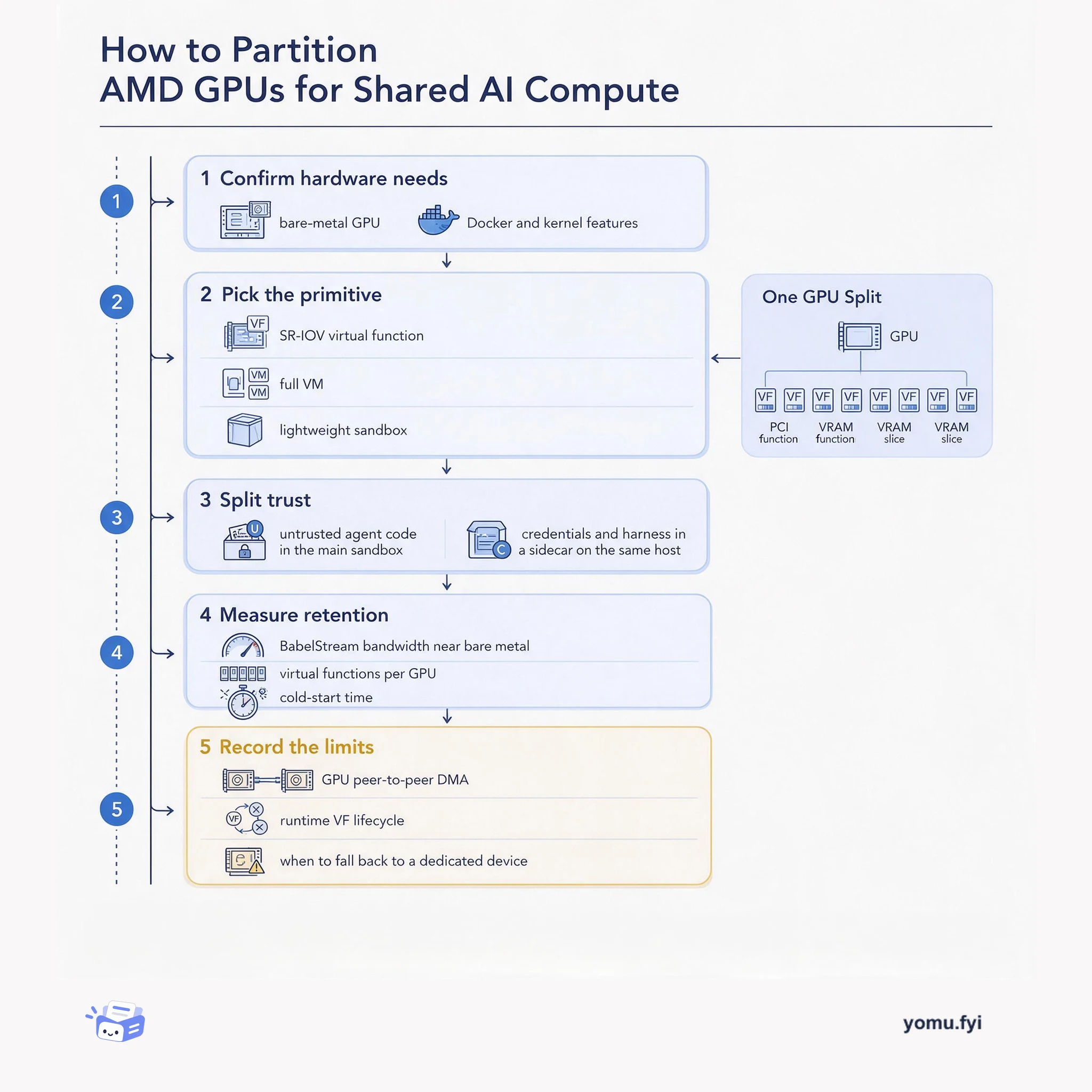
A five-step how-to for deciding when an AMD Instinct GPU should stay dedicated and when SR-IOV virtual functions, VMs, or sidecar isolation can safely share it.
Keep reading
Related reading
The Good Stuff
Paid picks we use ourselves. Links carry a referral code — a subscription through one earns us a commission at no extra cost to you.