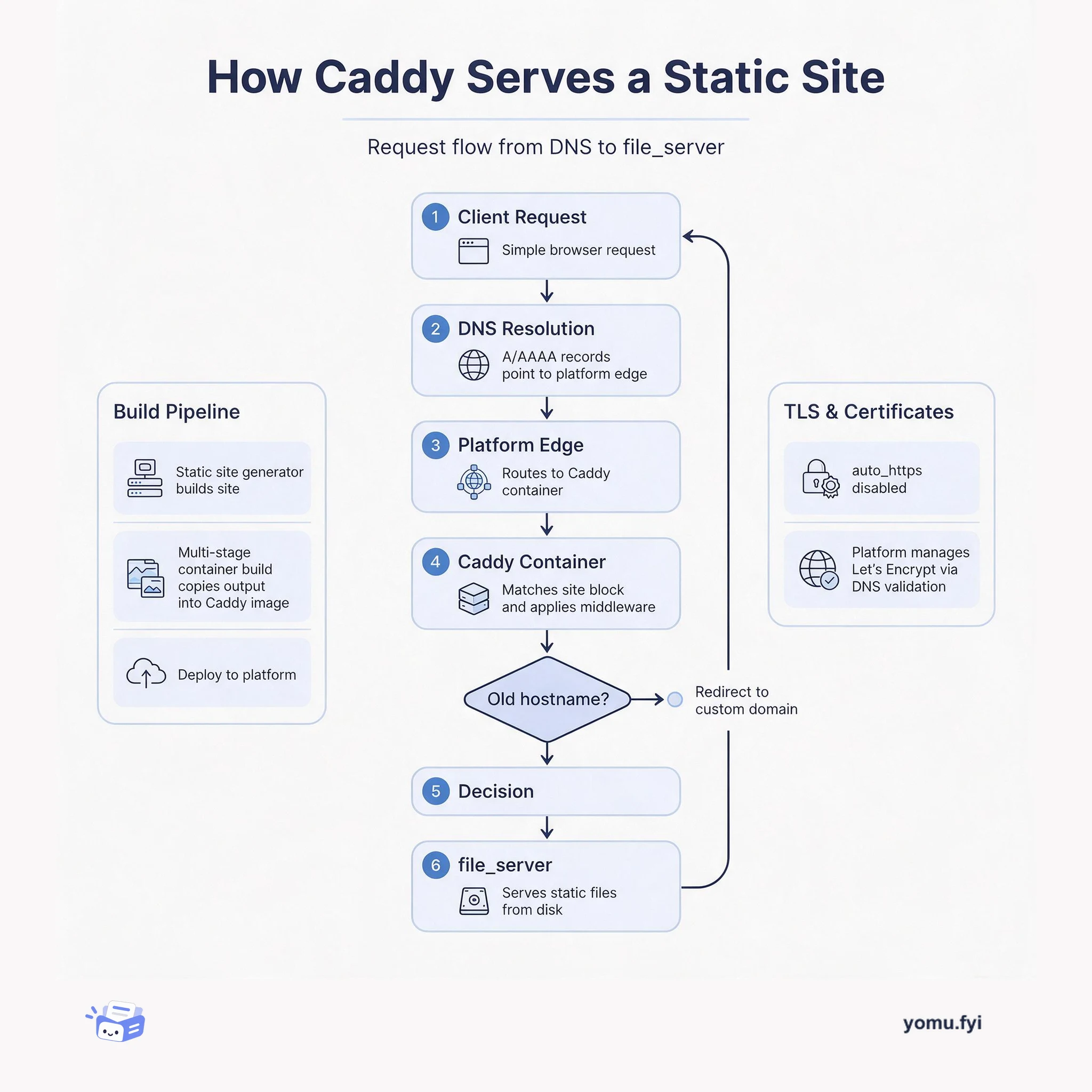
How Caddy Serves a Static Site: The Request Flow
See how Caddy handles a request for a static site, from DNS resolution through container routing to file_server, and how TLS and redirects fit into the flow.
 IntercomTutorial
Ngrok is a tool that creates public URLs to expose a web server on a development machine, enabling developers to set webhook URLs while building Messenger Apps for Intercom without external infrastructure. To start, run ‘ngrok http 3000’ to tunnel a local server; the free version limits sessions to eight hours and generates a new address each run. The ngrok web interface at http://localhost:4040 allows inspection of HTTP traffic, showing request and response details. Developers can replay requests with the Replay button to avoid manually re-triggering endpoints during testing. The interface also validates JSON formatting in request and response bodies, highlighting errors like missing quotes for debugging.
Developing Messenger Apps for Intercom requires setting webhook URLs during development; ngrok provides a lightweight way to expose a local server without external infrastructure.
Using ngrok to create a tunnel to a local development server, then leveraging its web interface to inspect, replay, and validate HTTP traffic for Messenger App development.
Ngrok exposes a local server to the internet via a public URL, allowing webhook URLs to be set during development without external infrastructure.
The ngrok web interface at localhost:4040 lets developers inspect HTTP requests and responses, including headers and body.
The Replay button in the web interface can replay previous requests, saving time by avoiding manual re-triggering of endpoints.
Ngrok creates public URLs that expose a local development server, allowing developers to set webhook URLs for Messenger Apps without needing external infrastructure. This speeds up development by enabling real-time testing.
The free version of ngrok limits sessions to eight hours. After that, the tunnel expires, and a new address is generated when ngrok is restarted.
In the ngrok web interface at http://localhost:4040, each request has a "Replay" button. Clicking it replays the same request, so you don't need to manually trigger the endpoint again.
Summaries are generated from the original by a language model. Check the original before relying on it.
See the idea
See how Caddy handles a request for a static site, from DNS resolution through container routing to file_server, and how TLS and redirects fit into the flow.
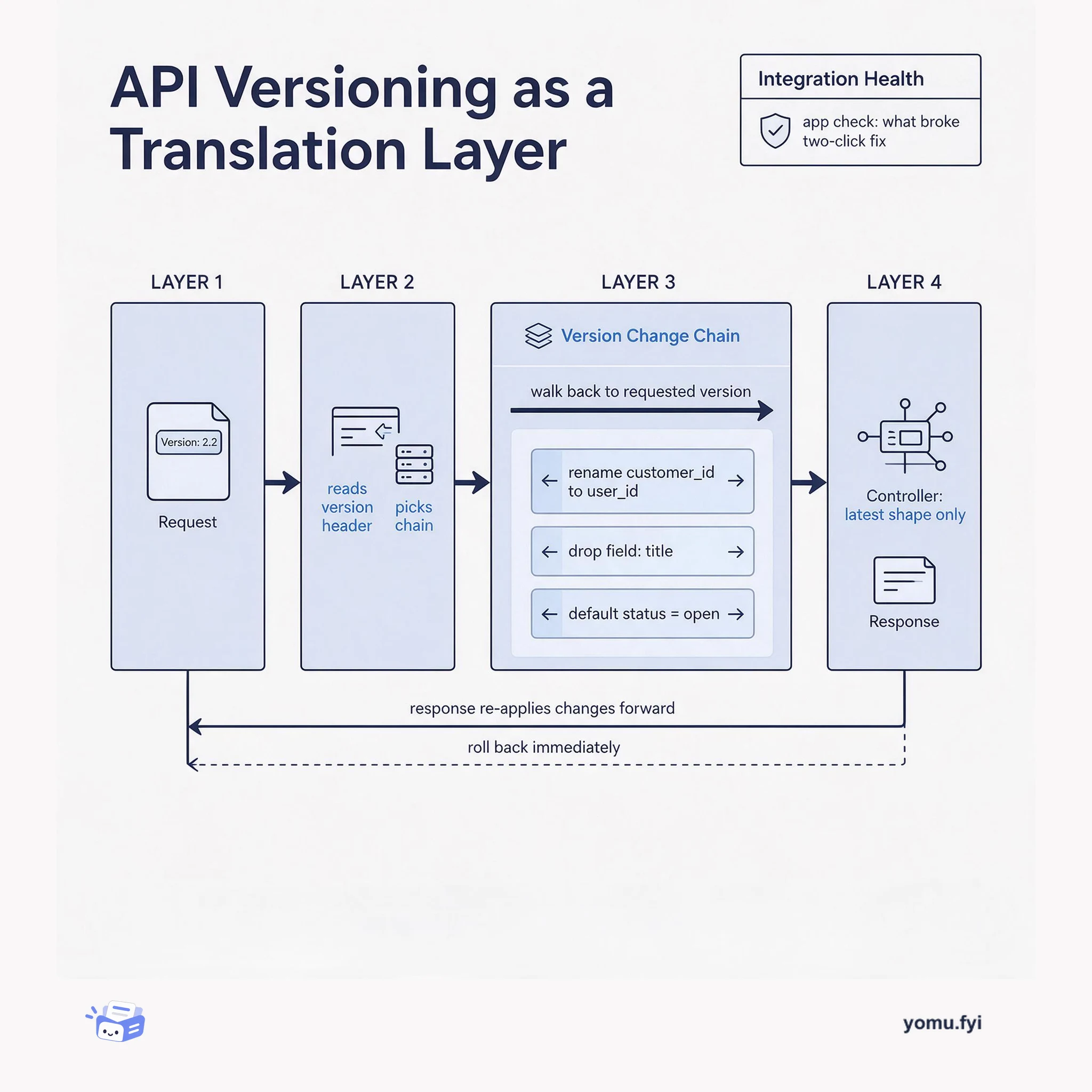
API versioning as an architecture: requests enter through a version header, pass through a chain of reversible version changes, and reach controllers that only ever see the latest model.
Keep reading
The Good Stuff
Paid picks we use ourselves. Links carry a referral code — a subscription through one earns us a commission at no extra cost to you.
One useful email. Unsubscribe anytime.