This article continues a series on Red Hat Developer Hub, describing how platform engineers create golden path templates to standardize developer workflows. The sample template scaffolds a Go project with a Tekton pipeline, Argo CD manifests, a devfile, and catalog-info.yaml containing annotations that map to enabled plug-ins. Developers use the template from the self-service screen, completing a form to specify application metadata, image registry, OpenShift details, and Git repository. After scaffolding, automated CI/CD is triggered by a Git commit, and developers monitor Tekton PipelineRuns, Argo CD sync status, container images from Quay, and Kubernetes resources from tabs within Developer Hub. The article provides step-by-step instructions for both platform engineers and developers, including template authoring, registration, scaffolding, and subsequent observability.
Context
This is part two of a series on establishing a unified CI/CD control plane with Red Hat Developer Hub. Part one covered instance setup on OpenShift, dynamic plug-in configuration for Tekton, Argo CD, Quay, and Kubernetes, and role-based access control policies.
Approach / What changed
Platform engineers author a golden path software template with parameters, steps, and output links. The template is registered via the Catalog’s Register Existing Component feature. Developers then select the template, fill a 5-page form, and scaffold a new application. The automated process publishes to GitHub, creates an Argo CD application, and registers the component. Resulting CI/CD activities are monitored through integrated plug-in tabs (CI, CD, Topology, Image Registry, Kubernetes) in the Developer Hub console.
Takeaways
1
Missing or incorrect catalog-info.yaml annotations are the primary reason plug-in tabs appear empty; each plug-in requires specific annotations like backstage.io/kubernetes-id for Kubernetes and janus-idp.io/tekton for Tekton.
2
The golden path template automatically creates an Argo CD application pointing to the repository’s manifests directory and registers the component in Red Hat Developer Hub’s catalog.
3
Developers can monitor Tekton pipeline execution history, Argo CD deployment sync events, container image tags, and pod-level diagnostics directly within the Developer Hub console without switching to separate tools.
FAQ
What annotations are required for each plug-in in the catalog-info.yaml?
The post maps required annotations per plug-in: Kubernetes uses backstage.io/kubernetes-id, backstage.io/kubernetes-namespace, and backstage.io/kubernetes-label-selector; Tekton uses janus-idp.io/tekton; Argo CD uses argocd/app-selector; Quay uses quay.io/repository-slug; and the core backstage.io/source-location links to the source repository.
What does the golden path template create during scaffolding?
The template scaffolds a Go project skeleton with a Tekton pipeline, Argo CD manifests, a devfile, and catalog-info.yaml. It publishes the repository to GitHub, creates an Argo CD application pointing to the manifests directory, and registers the component in Red Hat Developer Hub's catalog.
How do developers monitor pipeline status after scaffolding?
Developers commit to the repository, triggering a Tekton PipelineRun. The CI tab shows real-time execution, task duration, and logs. The CD tab displays Argo CD sync history. The Topology tab visualizes Kubernetes resources, the Image Registry tab shows Quay images, and the Kubernetes tab shows pod details and logs.
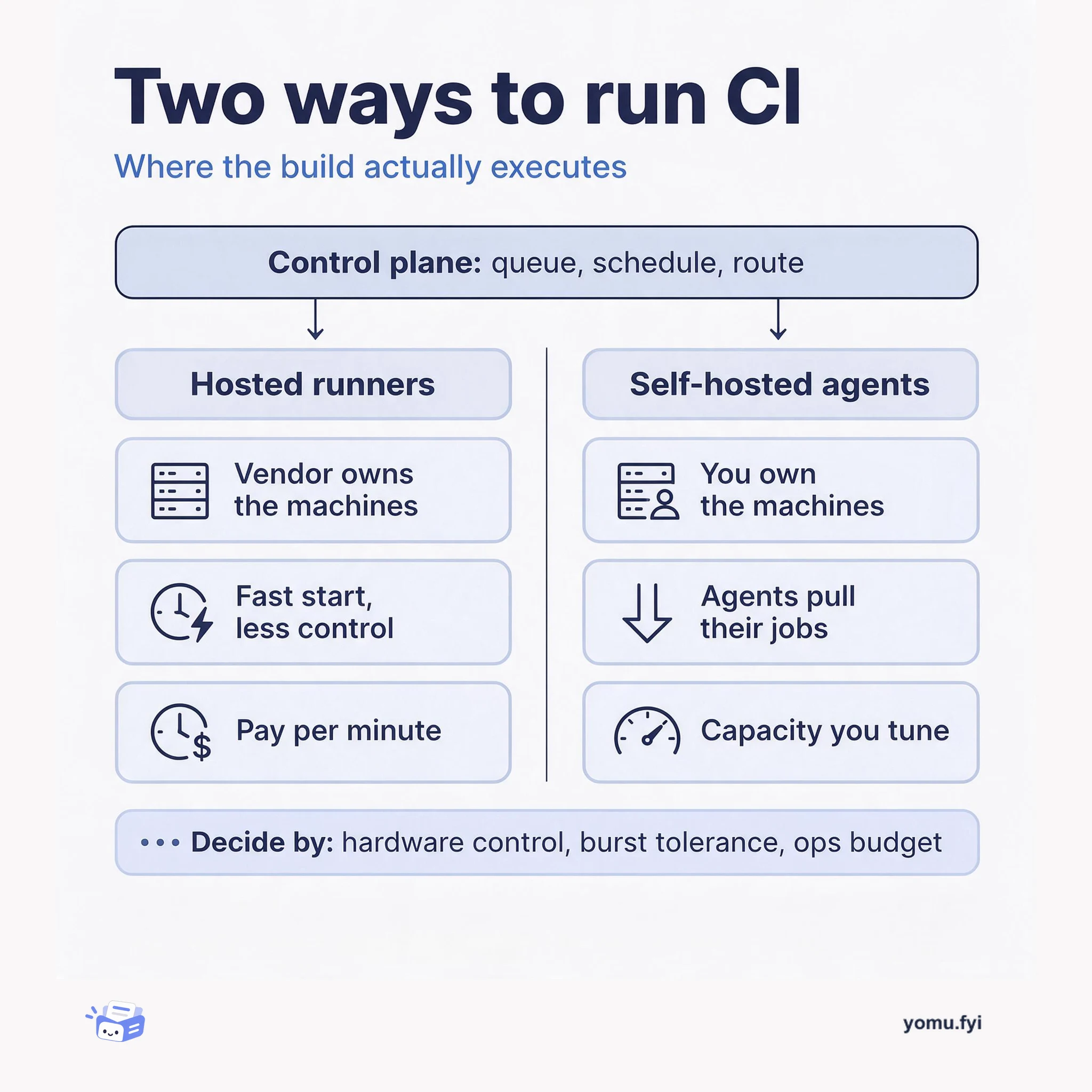
Buildkite splits CI into a hosted control plane and agents you run on your own machines. This comparison weighs that self-hosted agent model against fully hosted runners so you can pick the right fleet.
Keep reading
Related reading
The Good Stuff
Paid picks we use ourselves. Links carry a referral code — a subscription through one earns us a commission at no extra cost to you.