Five Checkpoints for a B2B SaaS Tenant Foundation
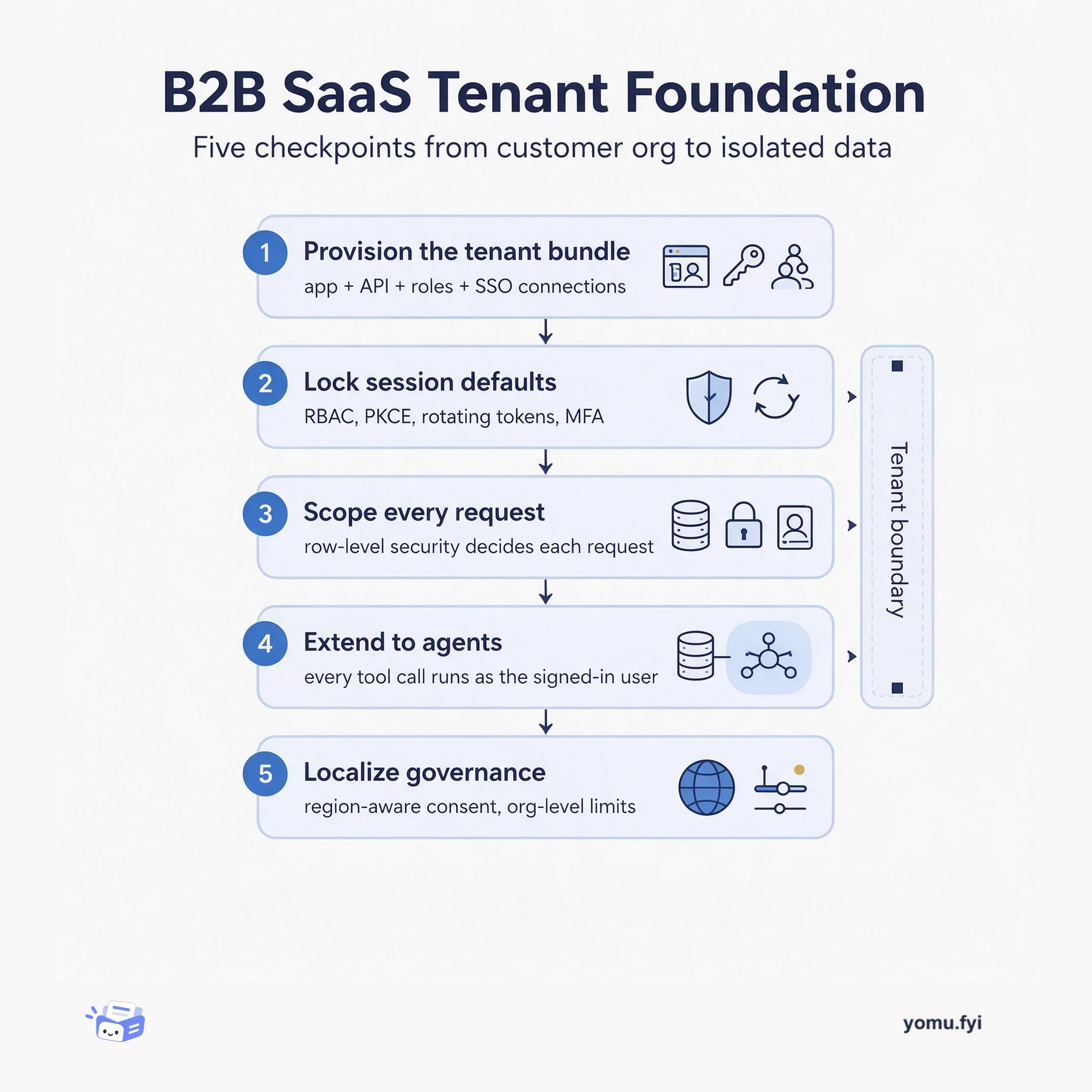
A five-checkpoint walkthrough of what a B2B SaaS tenant actually needs: provisioning, identity and session defaults, per-tenant data isolation, agent access, and localized governance.
 Supabaseraul_barroso,gregnr,saxon_fletcherTutorial
Supabase announced the MCP Server block that lets developers give their Supabase apps an MCP server, enabling customers to use app actions as tools from clients like ChatGPT or Claude after signing in with their existing account. Every tool call runs as that user, so RLS policies decide what each agent can access. The block adds an Edge Function using the official MCP TypeScript SDK and Supabase authentication helpers to verify tokens and provide a user-specific Supabase client. Developers write tool functions that can query RLS-protected tables, call database functions, or invoke Edge Functions, keeping business rules in the code the tool calls. The server can also display app UI inside the chat via MCP Apps, and the block includes a Copy agent prompt button and works with Cloudflare Workers and other Web-standard backends.
The MCP Server block was announced at Supabase Select as part of a library of reusable building blocks. It extends Supabase Auth, Database, and Storage to agent workflows, allowing apps to be accessed through AI assistants while preserving user identity and RLS policies.
Install the MCP Server block via npx shadcn@latest add, which copies an Edge Function into supabase/functions/mcp. The function uses Deno and pipeline middleware from @supabase/middleware for OAuth authentication and @supabase/server to inject a user-specific Supabase client. Developers register tools using the MCP TypeScript SDK, and tools receive the caller’s Supabase client for RLS-enforced queries. Configuration requires asymmetric signing keys, enabling OAuth 2.1 server, dynamic client registration, and adding the OAuth Consent block to the frontend.
The MCP Server block provides a pre-built Edge Function that handles OAuth authentication and MCP protocol, enabling tool calls to run under the signed-in user’s identity with RLS enforcement.
Tools can query RLS-protected tables, call database functions, invoke Edge Functions, or use existing application APIs, and the post recommends keeping business rules in the code the tool calls.
The server can display app UI inside the chat via MCP Apps, and the Headless App block provides an alternative starting point with browser sign-in and consent flow.
The MCP client starts with the server URL. Authentication middleware tells it where to find the project's OAuth server. The user signs in, approves the client on the consent page, and receives an access token. Tool calls carry that token, and the middleware injects a user-specific Supabase client.
Yes, tools can call database functions, invoke Edge Functions, or use existing application APIs. The post recommends keeping business rules in the code the tool calls, calling the same functions your app uses.
Configure asymmetric signing keys, turn on OAuth 2.1 server, enable dynamic client registration, add OAuth Consent block to frontend, set Auth Site URL to the consent page, and disable the built-in JWT check on the Edge Function.
Summaries are generated from the original by a language model. Check the original before relying on it.
See the idea
A five-checkpoint walkthrough of what a B2B SaaS tenant actually needs: provisioning, identity and session defaults, per-tenant data isolation, agent access, and localized governance.
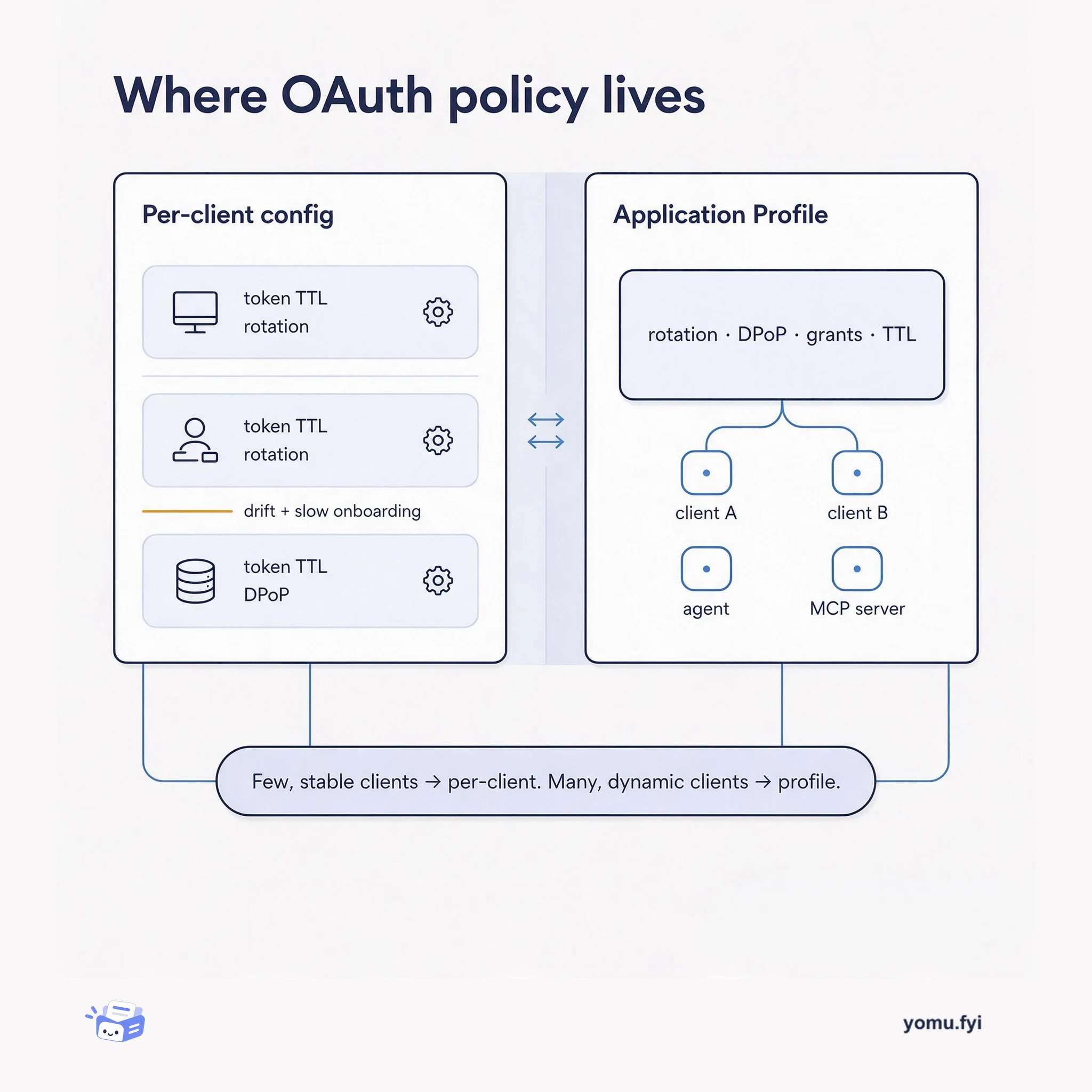
Application Profiles bundle token, rotation, and DPoP policy once and attach it to many OAuth clients. This comparison shows when a shared profile beats configuring each client by hand.
Keep reading
The Good Stuff
Paid picks we use ourselves. Links carry a referral code — a subscription through one earns us a commission at no extra cost to you.
One useful email. Unsubscribe anytime.