BIMI: The Identity Proof Behind the Logo
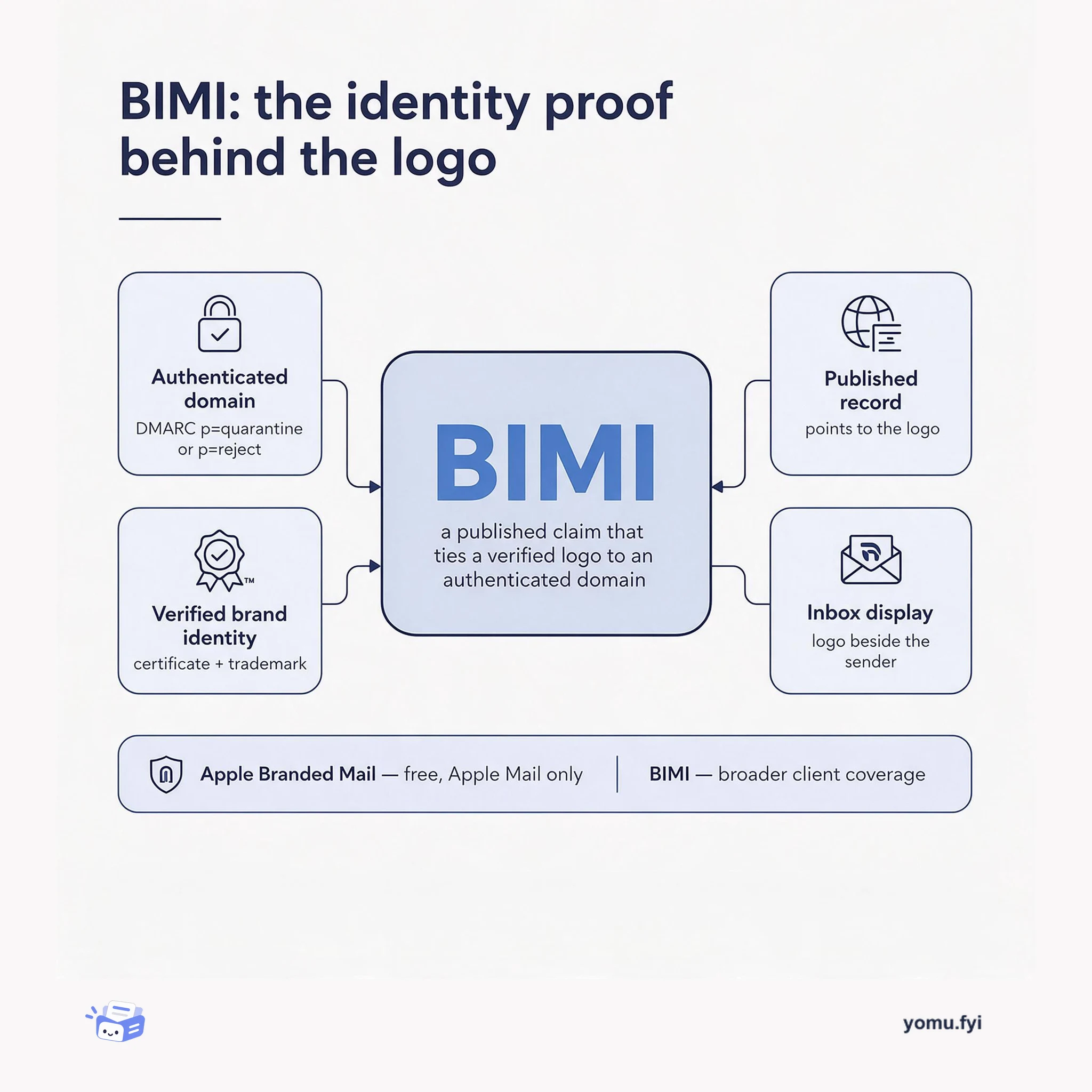
BIMI is a DNS-published claim that ties a verified brand logo to an authenticated domain, so mailbox providers can display it. Here is what each part of that claim requires.
 ResendTutorial
Displaying a company logo in Apple Mail can improve inbox recognition, trust, and visual distinctiveness, while cited studies associate logos with higher brand recall, open rates, purchase likelihood, and email confidence. The article presents Apple Branded Mail, a proprietary format shipped in iOS 18.2 in 2024, as a free alternative to inconsistent provider settings and the paid certificates and trademarks sometimes needed for broad BIMI coverage. Setup begins with a DMARC policy of p=quarantine or p=reject, then uses Apple Business Connect to add a brand, upload a PNG, HEIF, or JPEG logo at least 1024 × 1024 pixels, select domains, and verify identity. Verification can take up to seven business days; root-domain branding covers unconfigured subdomains, while brands needing broader client coverage are directed to BIMI.
Email providers have inconsistent methods for displaying sender logos, while BIMI can require a paid certificate, an annual subscription, and a trademark for the most complete coverage. Apple Branded Mail, introduced in iOS 18.2, targets logos displayed in Apple Mail and is described as free to set up without a trademark or certificate.
Use Apple Business Connect to create a company and brand, enter the brand name and website, upload a logo in PNG, HEIF, or JPEG format at least 1024 × 1024 pixels, choose domains, and complete identity verification. Before setup, configure DMARC with p=quarantine or p=reject. A root-domain logo also applies to subdomains without their own logo.
Apple Branded Mail requires DMARC set to p=quarantine or p=reject; a p=none policy must be moved to a stricter mode.
Apple Business Connect accepts PNG, HEIF, or JPEG logos measuring at least 1024 × 1024 pixels, and identity verification can take up to seven business days.
A logo configured on a root domain also covers subdomains that do not have a separately configured logo; BIMI is suggested for broader cross-client coverage.
Apple shows the logo only when the domain properly authenticates email with DMARC set to p=quarantine or p=reject. Domains using p=none need to move to one of those policies safely.
The logo must be at least 1024 × 1024 pixels and can be a .png, .heif, or .jpeg file. Apple Business Connect also requires the brand’s domains and identity verification.
Apple Branded Mail is described as a free way to show a logo in Apple Mail. Brands that need their logo to appear more consistently across all email clients are directed to BIMI, the industry standard.
Summaries are generated from the original by a language model. Check the original before relying on it.
See the idea
BIMI is a DNS-published claim that ties a verified brand logo to an authenticated domain, so mailbox providers can display it. Here is what each part of that claim requires.
Keep reading
The Good Stuff
Paid picks we use ourselves. Links carry a referral code — a subscription through one earns us a commission at no extra cost to you.
One useful email. Unsubscribe anytime.
