Rider 2026.3’s first Early Access build is available through the website and Toolbox App, introducing updates for editing, debugging, plugin discovery, code completion, and test coverage. Rainbow brackets color matching pairs by nesting level, helping with deeply nested code; the option is disabled by default and can be enabled under Settings | Editor | General | Appearance. Data breakpoints can now be created by right-clicking an editor variable or through the Breakpoints tool window, while retaining read/write access, conditions, logging, validation, and other options. Bundled game-development plugins are grouped under a new Game Development category, with a matching JetBrains Marketplace tag, and completion suggestions can be narrowed or hidden using icon-based filters. Rider’s dotCover integration adds coverage for TUnit tests when JetBrains.dotCover.Framework is installed, with Microsoft.Testing.Platform 2.3.0 or later required.
Context
Deeply nested code can be difficult to read, and data breakpoints were previously hard to find and use through the Watches window. The release also addresses discovery of bundled and community game-development plugins, filtering of code-completion suggestions, and coverage support for TUnit tests.
Approach / What changed
The build adds configurable rainbow brackets, editor and Breakpoints-window commands for data breakpoints, a Game Development plugin category and Marketplace tag, icon-based completion filters, and TUnit coverage through Rider’s dotCover integration. Data breakpoints retain advanced options including read and write access, conditions, logging, and input validation.
Takeaways
1
Rainbow brackets color matching brackets according to nesting level and are disabled by default; they can be enabled in Settings | Editor | General | Appearance.
2
Data breakpoints can be set by right-clicking a variable in the editor or from the Breakpoints tool window, with support for variable names or memory addresses and region sizes.
3
dotCover now measures TUnit test coverage when JetBrains.dotCover.Framework is installed; Microsoft.Testing.Platform 2.3.0 or later is required.
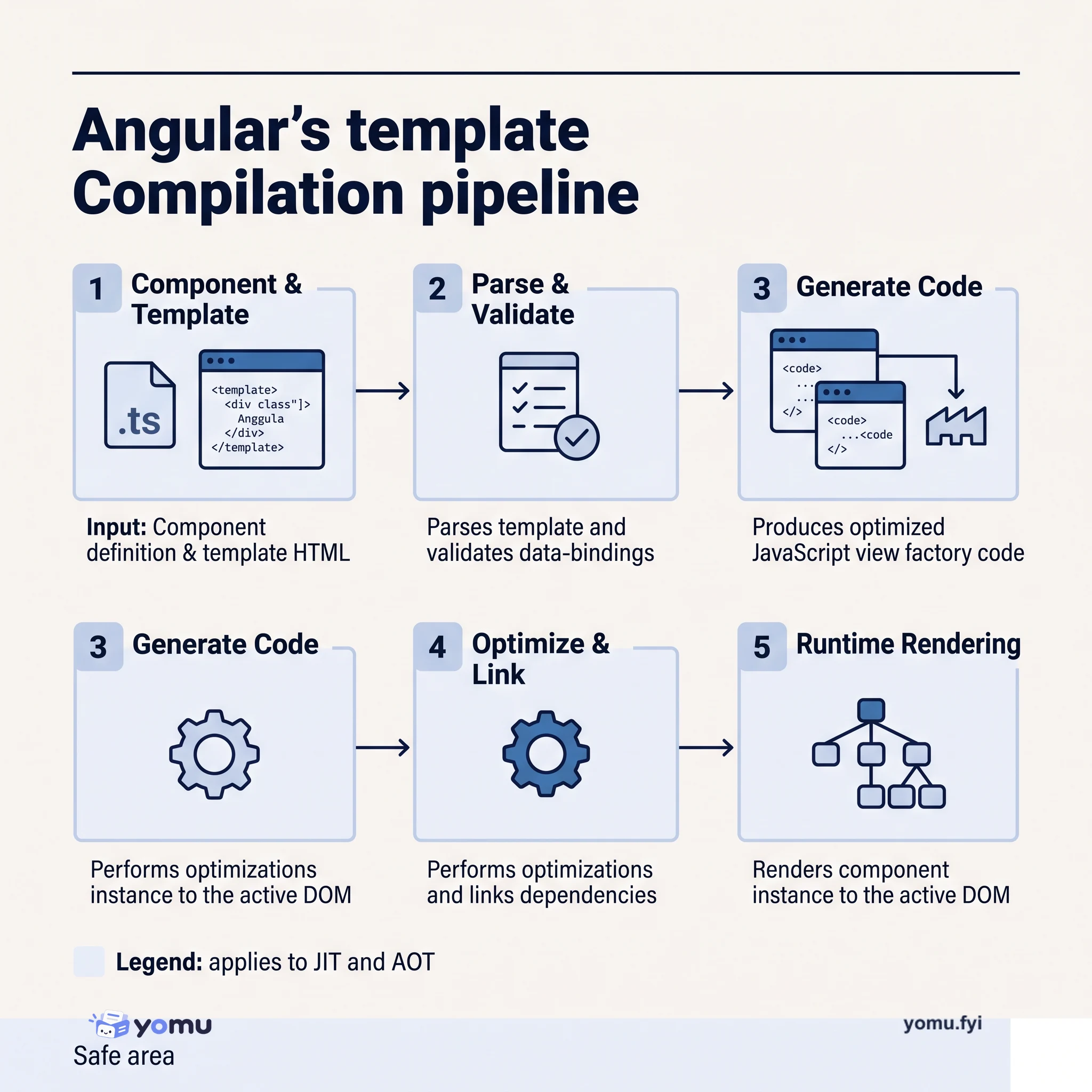
Angular compiles component templates into executable JavaScript that manages the DOM efficiently. Learn the pipeline from TypeScript decorators through template parsing, code generation, and runtime rendering.
Keep reading
Related reading
The Good Stuff
Paid picks we use ourselves. Links carry a referral code — a subscription through one earns us a commission at no extra cost to you.