The post describes the design of a new TeamCity integration for Kotlin Multiplatform (KMP) developers building iOS apps. The integration addresses common pain points: iOS builds require macOS infrastructure, Apple signing is complex, and there is no guided path from IDE to CI/CD. The solution provides a progressive onboarding flow within the IDE, starting with a tooltip after the first Git push. The flow generates four configuration files (teamcity.yaml, Fastfile, Appfile, Gemfile) and runs a build and tests on a hosted macOS agent, then guides the developer through a single form for Apple signing and TestFlight publishing, and finally automates the pipeline on GitHub pushes. TeamCity Cloud provides hosted macOS agents and a free starting tier, so no Mac is required. The design was validated through usability sessions and focuses on meeting the developer at the right moment with minimal configuration.
Context
KMP developers face challenges with iOS CI/CD: iOS builds require macOS infrastructure, which is expensive and unfamiliar; Apple signing and provisioning setup is a known blocker for first-time App Store publishing; there is no guided path from the IDE to running CI, so developers must figure out CI/CD outside their development environment; and TeamCity is not present at the moment a developer pushes to GitHub and thinks about setting up CI.
Approach / What changed
Progressive onboarding flow with three stages: build and test, publish, and automate. The flow initiates from an IDE tooltip after the first Git push, generates four configuration files (teamcity.yaml, Fastfile, Appfile, Gemfile) that remain local until verified, runs a remote build on a TeamCity Cloud hosted macOS agent, guides the developer through a single form for Apple signing, and finally connects the GitHub repository for automated pipeline triggers on every push.
Takeaways
1
The integration initiates from an IDE tooltip after the developer’s first Git push, eliminating the need to search for CI setup outside the development environment.
2
The flow generates four configuration files (teamcity.yaml, Fastfile, Appfile, Gemfile) that remain local and uncommitted until the developer verifies the pipeline works via a remote build on a hosted macOS agent.
3
Apple signing is handled through a single form requiring the App Store Connect API key details, team ID, bundle ID, and distribution certificate, which TeamCity stores as secure deployment credentials.
FAQ
What infrastructure is needed to run iOS builds with this integration?
TeamCity Cloud provides hosted macOS agents and a free starting tier with a monthly allowance of build minutes, so no Mac is required and there is nothing to provision.
How does the integration handle Apple signing?
It presents a single form that requires the App Store Connect API key details (issuer ID, key ID, and .p8 private key), the team ID and bundle ID, and the distribution certificate. TeamCity stores these as secure deployment credentials.
When does the integration initiate the CI setup?
After a developer pushes their project, the KMP plugin shows a tooltip with a Configure CI option, so the flow starts exactly when the developer thinks about setting up CI, without leaving the IDE.
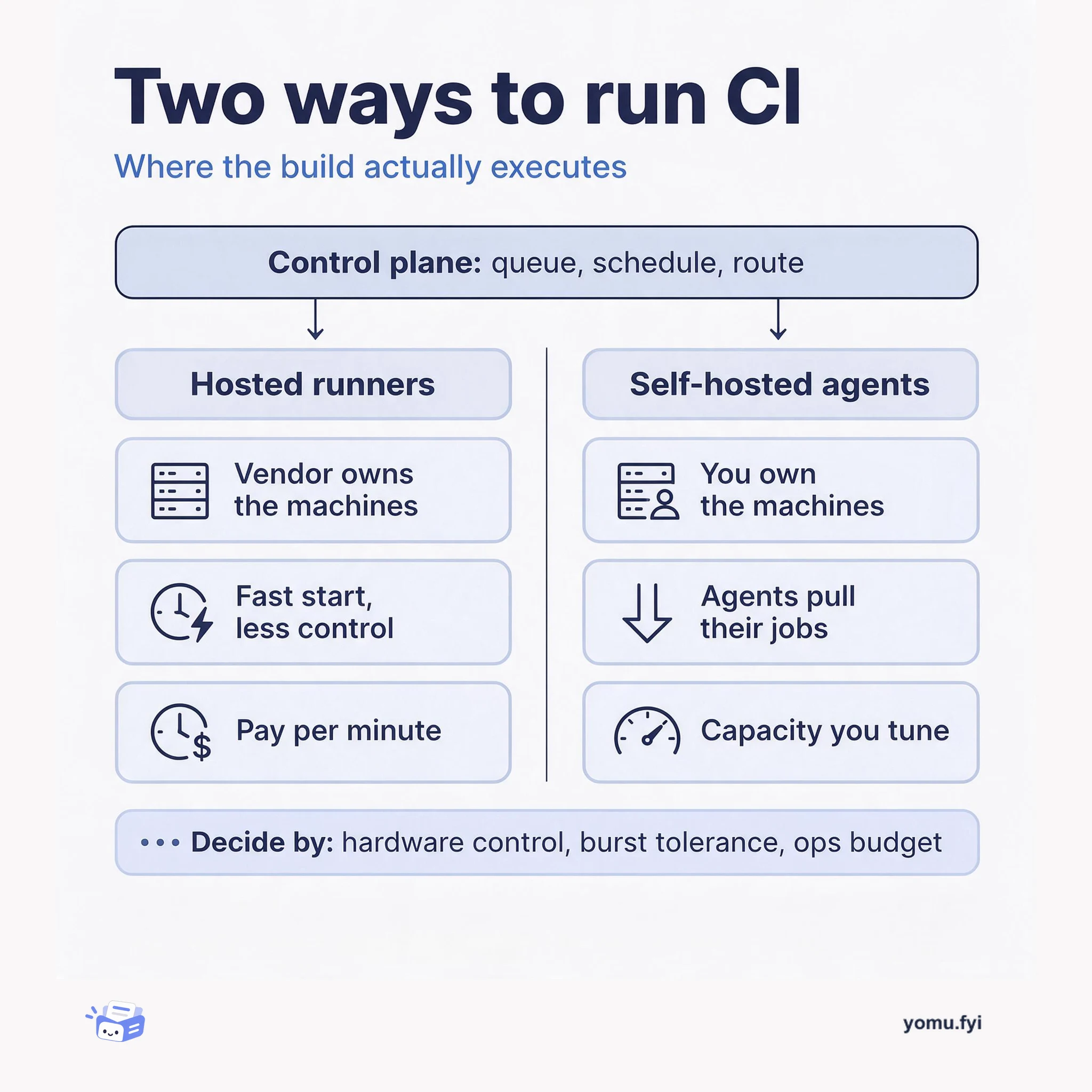
Buildkite splits CI into a hosted control plane and agents you run on your own machines. This comparison weighs that self-hosted agent model against fully hosted runners so you can pick the right fleet.
Keep reading
Related reading
The Good Stuff
Paid picks we use ourselves. Links carry a referral code — a subscription through one earns us a commission at no extra cost to you.