This tutorial explains how to integrate Claude Code with Auth0’s Management API using the Auth0 MCP Server, enabling AI-driven authentication configuration management from the terminal. The setup uses the OAuth 2.0 Device Authorization Flow to obtain scoped access tokens stored in the OS keychain, avoiding static secrets that risk exposure in source control. Developers initialize the MCP server with explicit scopes like read:clients or update:actions, then register it with Claude Code via the claude mcp add command, with credentials never stored in plain text. A CLAUDE.md file provides project context and constraints, guiding the agent to respect environment-specific configurations and security policies such as never modifying production callback URLs without confirmation. The tutorial demonstrates refactoring JWT validation code in a single terminal session, with human-in-the-loop confirmation ensuring safe agentic changes and all auth-critical paths undergoing manual PR review.
Context
A tutorial on connecting Claude Code, an AI coding agent, to Auth0’s Management API via the Auth0 MCP Server, covering secure authentication using OAuth 2.0 Device Authorization Flow, scoped permissions, and practical refactoring of JWT validation code with human-in-the-loop guardrails.
Approach / What changed
Set up the Auth0 MCP Server with Claude Code by initializing the server with explicit scopes using the OAuth 2.0 Device Authorization Flow, registering it with Claude Code via the claude mcp add command, and providing project context through a CLAUDE.md file to enforce security policies and environment-specific configurations.
Takeaways
1
The Auth0 MCP Server uses the OAuth 2.0 Device Authorization Flow instead of static secrets, storing tokens in the OS keychain and providing an audit trail tied to an interactive session.
2
Scopes are explicitly requested at init time using the –scopes flag, mapping directly to Management API operations like read:clients or update:actions; the principle of least privilege should be applied.
3
A CLAUDE.md file at the project root provides context and constraints, guiding the agent to respect environment-specific configurations and security policies, such as never modifying production callback URLs without confirmation.
FAQ
How does the Auth0 MCP Server handle authentication securely?
It uses the OAuth 2.0 Device Authorization Flow, requiring a browser-based login step to obtain a scoped access token. The token is stored in the OS keychain, never in plain text or project files, and can be revoked from the Auth0 dashboard.
What are the security guardrails for using Claude Code with Auth0?
Keep the MCP server scoped to development tenants only, treat the device auth token like any API credential and revoke it after a session, use short access token lifetimes, and never put client secrets in prompts or CLAUDE.md files.
How do you scope the MCP server permissions?
Use the --scopes flag at init time to request specific Management API operations. Scopes like read:clients or update:actions map directly to tools; follow the principle of least privilege and grant only what your workflow needs.
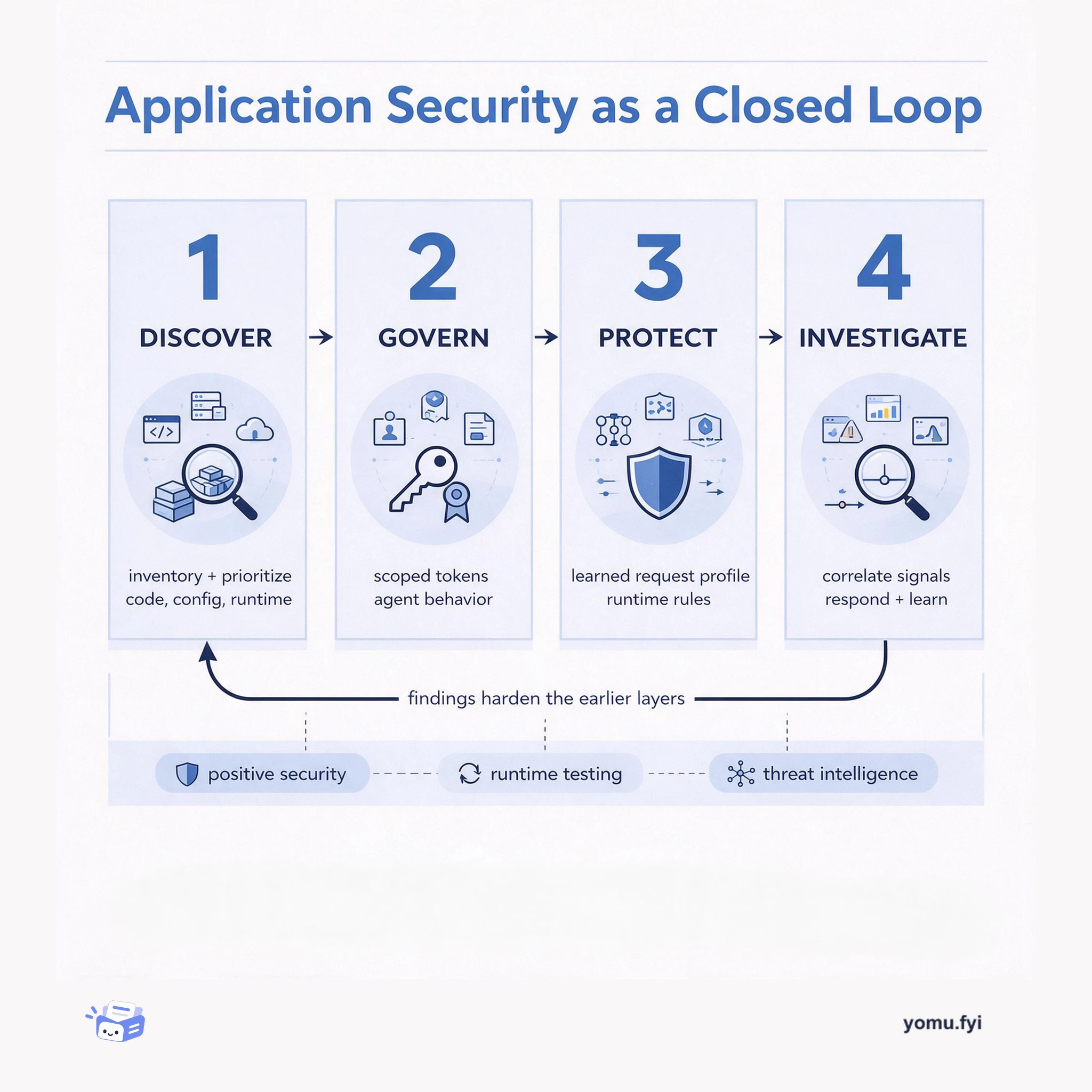
Application security is a closed loop: discover and prioritize risk, govern access and agent behavior, protect at runtime, then investigate and feed findings back into the next cycle.
Keep reading
Related reading
The Good Stuff
Paid picks we use ourselves. Links carry a referral code — a subscription through one earns us a commission at no extra cost to you.