Five Checkpoints for a B2B SaaS Tenant Foundation
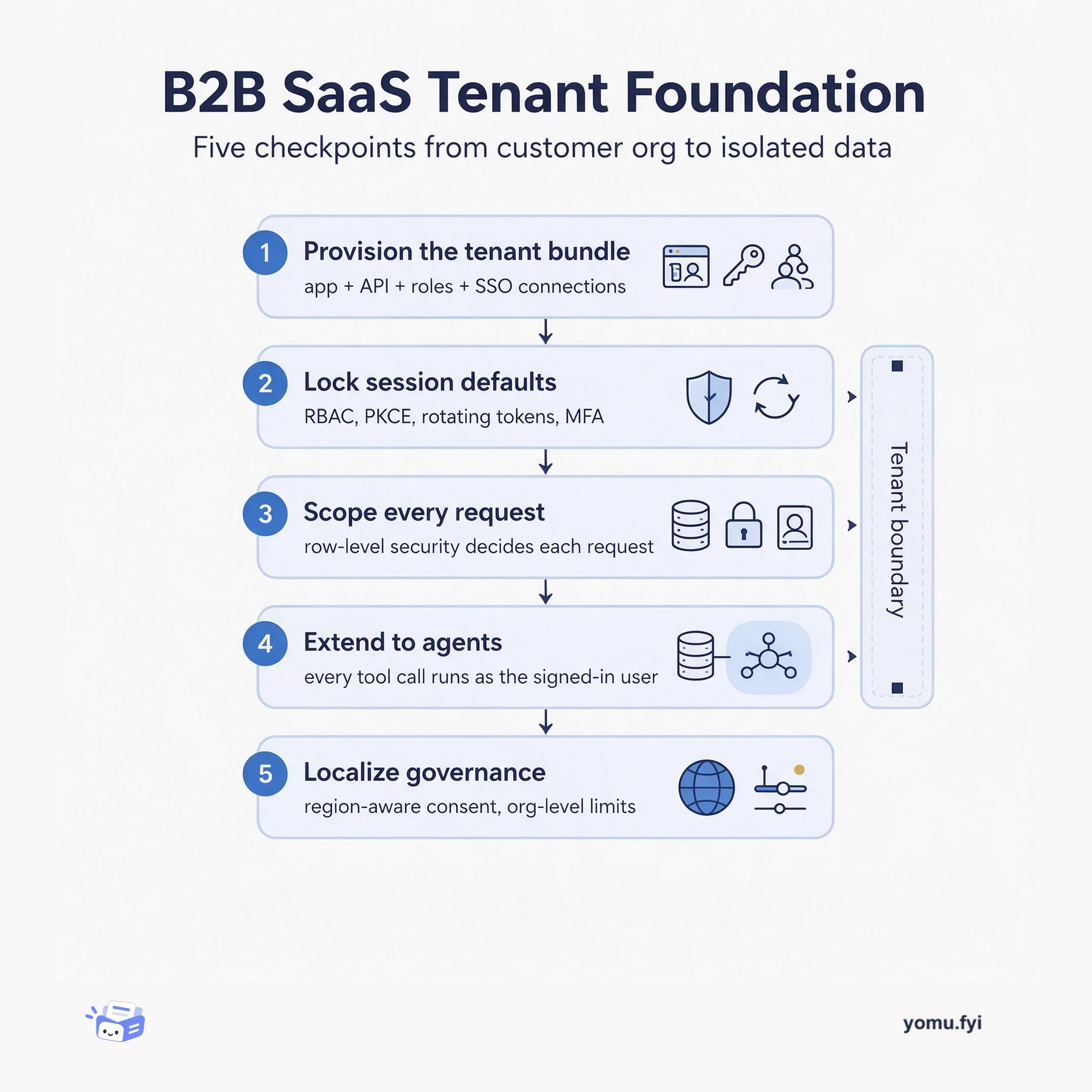
A five-checkpoint walkthrough of what a B2B SaaS tenant actually needs: provisioning, identity and session defaults, per-tenant data isolation, agent access, and localized governance.
 Auth0Rajat BajajAnnouncement
Teams building B2B SaaS on Auth0 repeatedly configure applications, APIs, M2M clients, MFA, attack protection, branding, custom domains, and enterprise SSO. The new Terraform Auth0 Modules package this foundation into ready-made modules, starting with the b2b-saas-starter module on the Terraform Registry. A single module block creates an application, API, tenant settings, attack protection, and MFA, with security defaults like RBAC enforcement, PKCE, rotating refresh tokens, and TOTP MFA. Roles, permissions, and enterprise SSO connections for customer organizations are described as data inside the module, which validates input to prevent errors. The module supports multiple applications per tenant by letting other instances skip tenant-wide resources, and each default can be overridden via module inputs.
Many teams using the Auth0 Terraform Provider independently write and maintain identical identity configurations for B2B SaaS, covering applications, APIs, M2M clients, MFA, attack protection, branding, and enterprise SSO.
The b2b-saas-starter module encapsulates an application client, API with RBAC, tenant settings, attack protection, and MFA into one Terraform module. It enforces PKCE, rotating refresh tokens, and adds permissions to access tokens. Roles, permissions, and SAML/OIDC enterprise connections are declared as data inside the module block, with built-in validation. Custom domain setup is split into two applies, and multiple applications can coexist by setting manage_* inputs to false on secondary instances.
One module block creates a complete B2B identity foundation including application, API, tenant settings, attack protection, and MFA, all with a single terraform apply.
Security defaults such as RBAC enforcement, PKCE, rotating refresh tokens, brute-force protection, suspicious IP throttling, breached password detection, and TOTP MFA are enabled automatically and can be overridden.
Roles, permissions, and enterprise SSO connections (SAML or OIDC) for customer organizations are defined as data inside the module, which validates consistency and prevents misconfigurations.
You need Terraform 1.3.0 or later, an Auth0 development tenant, and an M2M application authorized for the Auth0 Management API. Create a new directory, copy the example main.tf block, set AUTH0_DOMAIN, AUTH0_CLIENT_ID, and AUTH0_CLIENT_SECRET, then run terraform init and terraform plan.
Yes, every default (such as MFA methods, attack protection thresholds, or PKCE settings) can be overridden by providing module input variables. You can also use manage_* inputs to turn off resources you want to manage separately.
First apply with custom_domain set to create the domain and get a dns_verification_record. Add the record to your DNS provider and verify it resolves. Then set enable_custom_domain_verification = true and apply again to activate the domain.
Summaries are generated from the original by a language model. Check the original before relying on it.
See the idea
A five-checkpoint walkthrough of what a B2B SaaS tenant actually needs: provisioning, identity and session defaults, per-tenant data isolation, agent access, and localized governance.
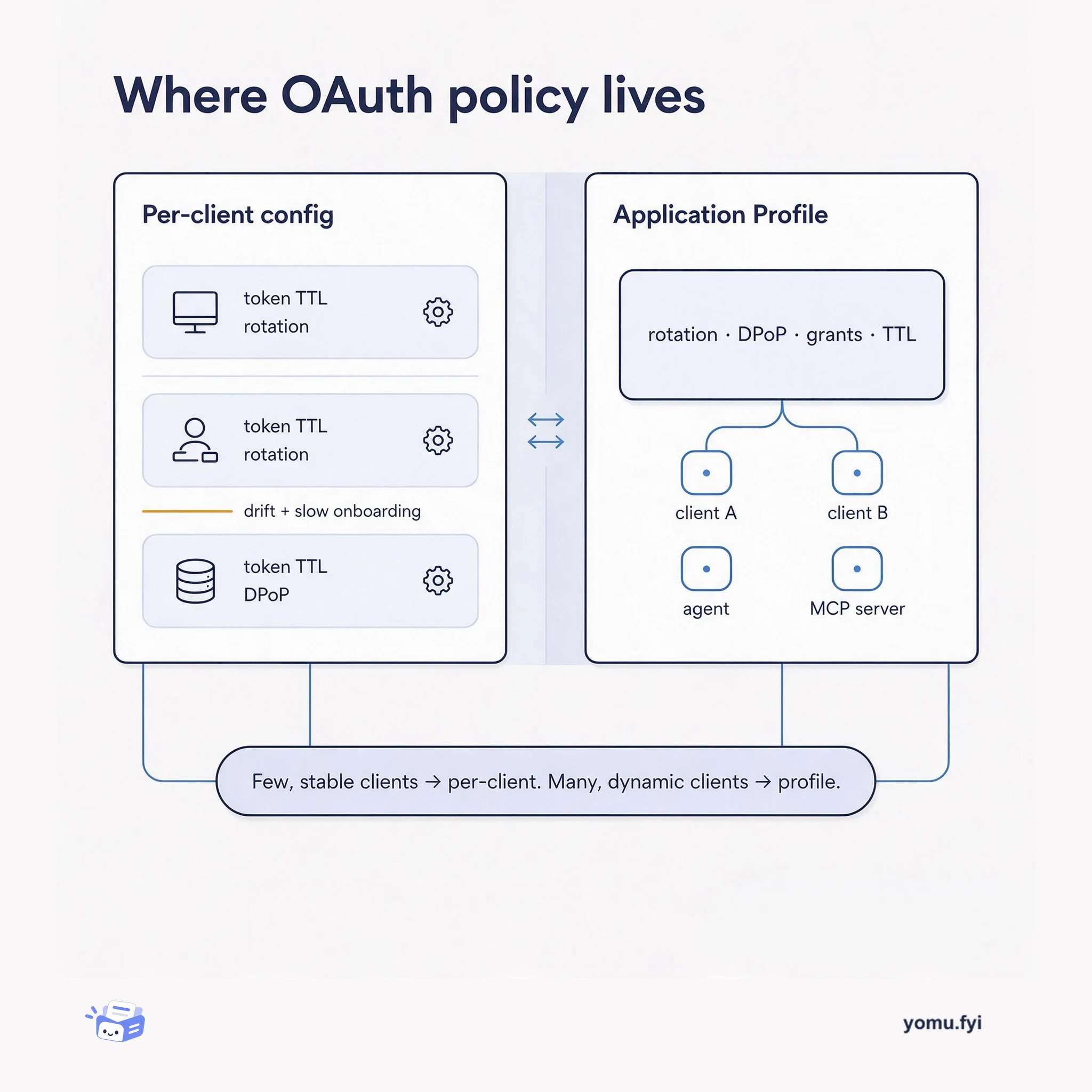
Application Profiles bundle token, rotation, and DPoP policy once and attach it to many OAuth clients. This comparison shows when a shared profile beats configuring each client by hand.
Keep reading
The Good Stuff
Paid picks we use ourselves. Links carry a referral code — a subscription through one earns us a commission at no extra cost to you.
One useful email. Unsubscribe anytime.