Sprites are on-demand, hardware-isolated Linux computers that start in under a second, persist code, packages, and state between sessions, and let you checkpoint the entire environment at any time. The sprite-mobile tool provides a chat UI for issuing commands to Claude Code in YOLO mode from a phone over Tailscale, enabling unrestricted and aggressive experimentation. Setup requires one command to create a Sprite and a one-line script that configures Claude CLI, GitHub CLI, Fly.io CLI, Sprites CLI, and Tailscale, sets up HTTPS via Tailscale Serve, and starts Tailnet Gate for waking suspended Sprites. After setup, obtain the public URL with sprite url update –auth public -s cheese_sandwich and open it in a Tailscale-connected phone’s browser. Sprites automatically sleep after 30 seconds of inactivity, wake in under a second, and incur no charges when idle.
Context
Developers wanting to code from their phone often resort to complex setups involving always-on servers, SSH clients, and VPNs. Sprites offer a simpler alternative: on-demand Linux environments that start quickly and require no persistent infrastructure.
Approach / What changed
Create a Sprite using sprite create cheese_sandwich , then run the sprite-mobile install script which configures Claude CLI, GitHub CLI, Tailscale, and Tailscale Serve for HTTPS PWA support. Obtain the public URL with sprite url update --auth public and access it from a Tailscale-connected phone’s browser. Sprites auto-sleep after 30 seconds and wake instantly.
Takeaways
1
Sprites are on-demand, hardware-isolated Linux computers that start in under a second, persist code, packages, and state between sessions, and support full-environment checkpointing.
2
The sprite-mobile tool provides a chat UI for issuing commands to Claude Code in YOLO mode from a phone via Tailscale, requiring only two commands to set up.
3
Sprites automatically suspend after 30 seconds of inactivity, wake in under a second, and charge only for active resource usage, making it cost-effective for many projects.
FAQ
How do I set up Claude Code on my phone?
Create a Sprite with `sprite create cheese_sandwich`, then run the one-line sprite-mobile install script. The script configures Claude CLI, GitHub CLI, Tailscale, and Tailscale Serve for HTTPS PWA support. Obtain the public URL with `sprite url update --auth public -s cheese_sandwich` and open it in a Tailscale-connected phone's browser.
What happens when a Sprite is idle?
Sprites automatically go to sleep after 30 seconds of inactivity and wake in under a second. You only pay for actively used resources, so idle Sprites incur no charge, allowing you to keep many projects suspended without cost.
Can I run any code in a Sprite?
Yes, because Sprites are hardware-isolated full Linux computers, you can run any code without worrying about breaking important things. The post states you can "run literally any code and experiment aggressively, while genuinely just not caring about breaking anything important."
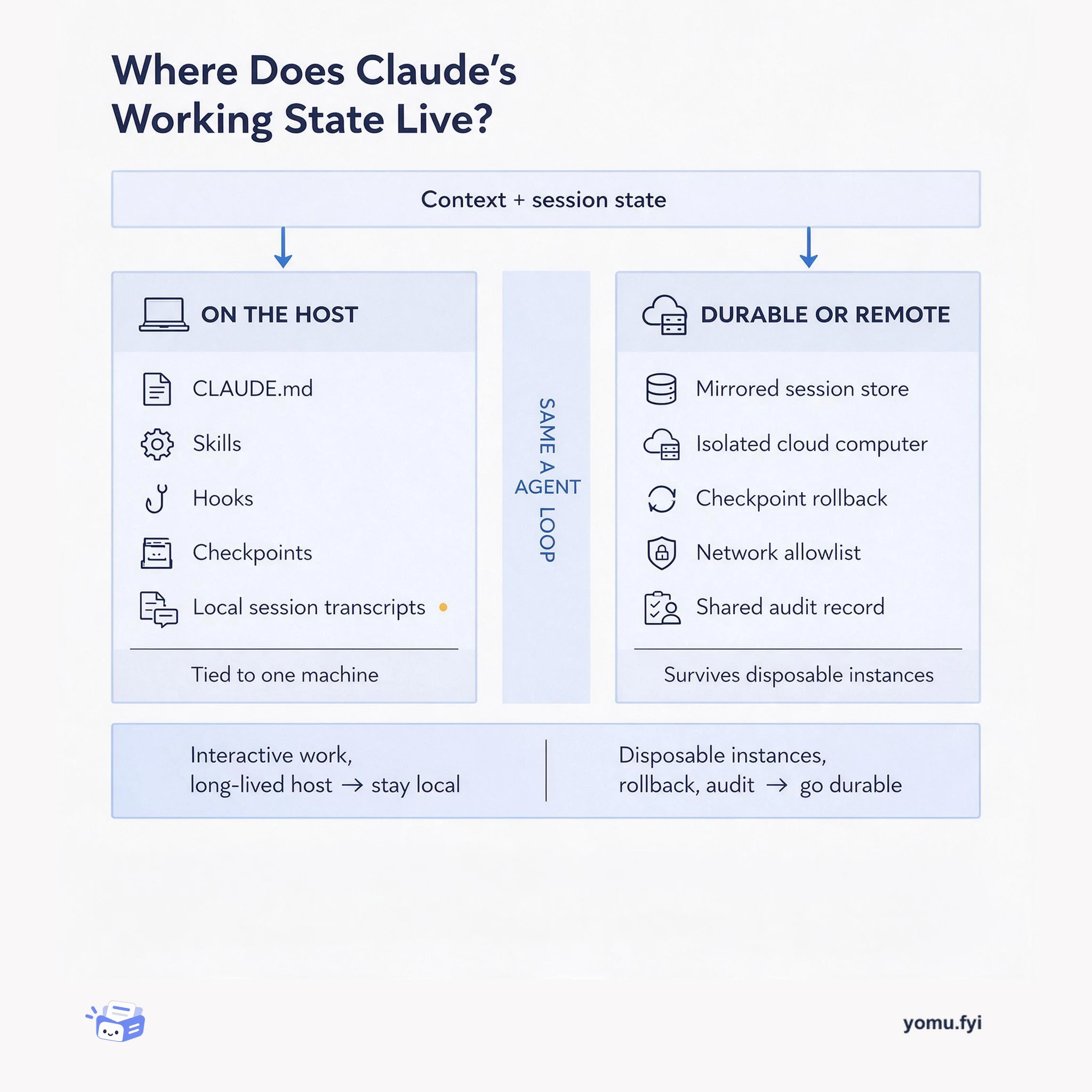
Compare two places to keep Claude's working state: curated files on your own machine versus a durable session store or isolated cloud computer, and learn which one fits your deployment.
BitNet trades floating-point precision for a tiny, CPU-friendly footprint. This diagram maps the payoff—small memory and local serving—against the constraints that decide when the trade is worth it.
Keep reading
Related reading
The Good Stuff
Paid picks we use ourselves. Links carry a referral code — a subscription through one earns us a commission at no extra cost to you.