Most enterprise REST APIs are invisible to AI agents, forcing teams to run separate MCP servers that duplicate their existing gateway logic. Google Cloud API Gateway in Public Preview solves this by acting as a remote MCP server — annotate the OpenAPI 3.0.x/3.1.x spec with x-google-api-management.mcp and deploy it with no extra infrastructure. The gateway accepts MCP JSON-RPC requests on a single /mcp endpoint, transcodes tools/call into the corresponding REST call, runs it through existing policies, and returns the response as an MCP result. Authentication via JWT or API key works unchanged for REST operations; tools/list is unauthenticated by default and requires JWT in production for security. With no separate server to operate, teams in Public Preview can expose up to 1,000 tools per gateway that support existing authentication and quota, and the MCP server is automatically discoverable via API hub and Agent Registry.
Context
Most enterprise APIs are REST-based and not natively discoverable by AI agents; teams must build separate MCP servers that duplicate routing, authentication, and quota logic.
Approach / What changed
Annotate an existing OpenAPI 3.0.x or 3.1.x spec with x-google-api-management.mcp set to true, optionally customize per-operation with x-google-mcp-tool, then deploy the API config to Google Cloud API Gateway. The gateway serves MCP endpoints at /mcp, transcoding JSON-RPC requests into REST calls with existing policies.
Takeaways
1
Google Cloud API Gateway can act as a remote MCP server, eliminating the need to build and host separate infrastructure. Simply annotate the OpenAPI spec with x-google-api-management.mcp and deploy.
2
MCP and REST traffic share the same authentication, quota, and logging policies. tools/call enforces the underlying REST auth; tools/list is unauthenticated by default and requires JWT in production.
3
Public Preview limitations: OpenAPI 2.0 not supported; empty body responses (HTTP 204) excluded; max 1,000 tools per gateway; deeply nested schemas may not render fully; MCP and model routing cannot coexist in one config.
FAQ
How to expose an existing REST API as MCP tools?
Annotate your OpenAPI 3.0.x or 3.1.x spec with x-google-api-management.mcp set to true, and optionally set per-operation x-google-mcp-tool with name and description. Deploy the config to API Gateway; the gateway automatically serves MCP on the /mcp path.
How does authentication work for MCP methods?
tools/call inherits the underlying REST operation's authentication (JWT or API key) unchanged. tools/list is unauthenticated by default; for production, configure tools-list security with a JWT. API keys cannot secure tools/list.
Are there any limitations in the Public Preview?
Yes. OpenAPI 2.0 is not supported. Operations with empty bodies (HTTP 204) are not exposed. A gateway serves up to 1,000 tools. Deeply nested object schemas may not fully render in tools/list. MCP and model routing cannot be enabled in the same API config.
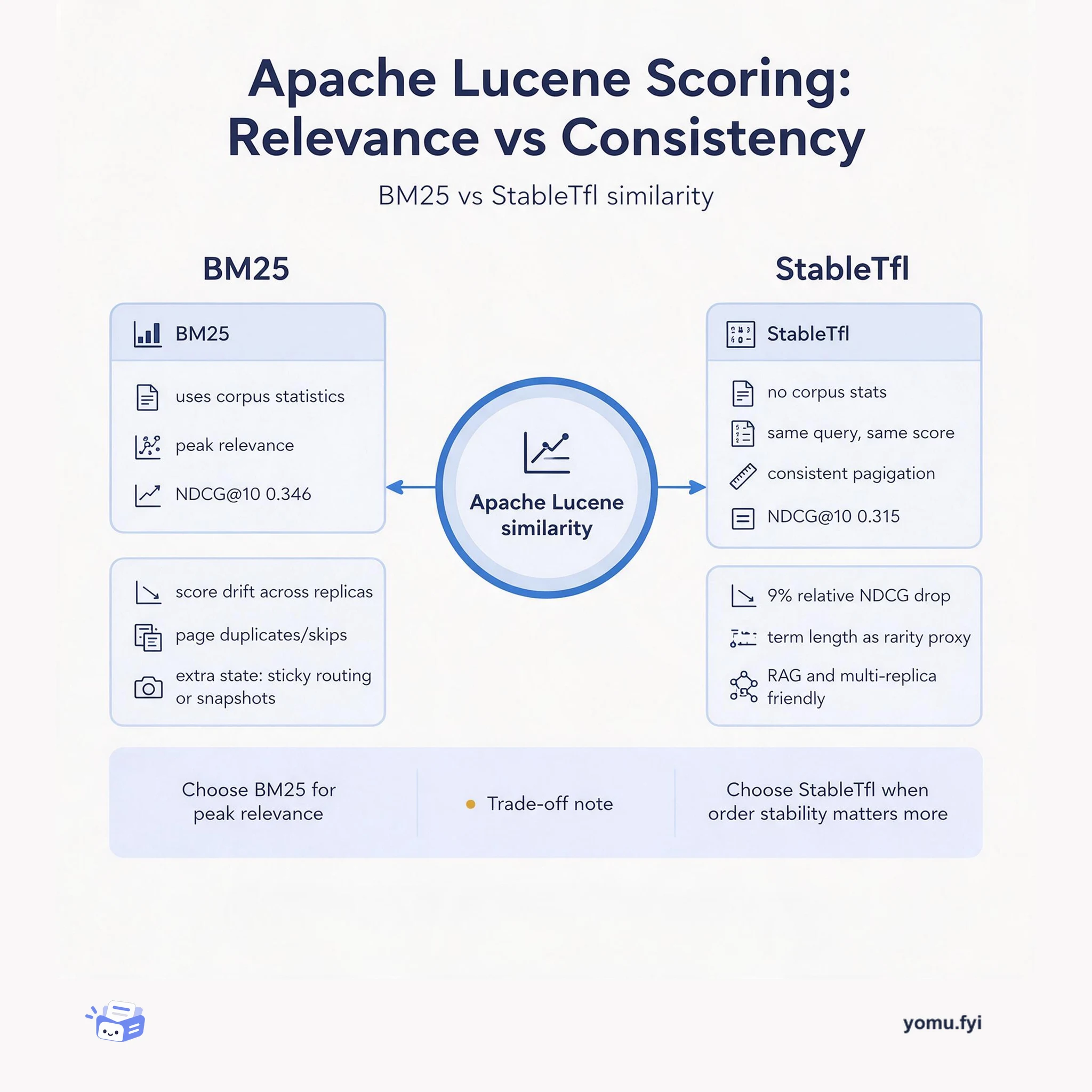
A comparison of Apache Lucene's BM25 scoring and StableTfl for paginated search: BM25 maximizes relevance, while StableTfl trades a small relevance drop for consistent ranking across replicas and pages.
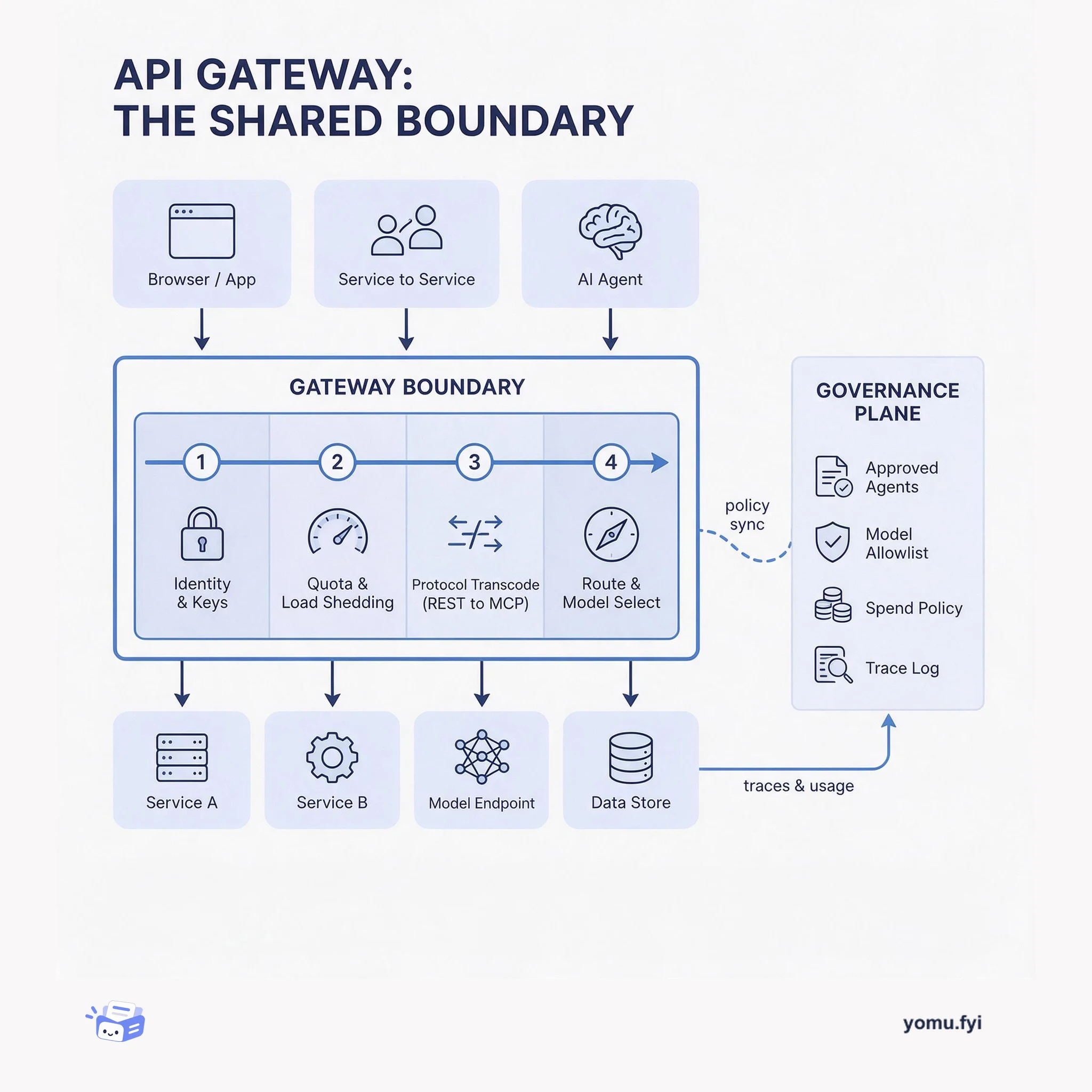
The API gateway is the single boundary where protocol translation, auth, quotas, and routing become shared policy instead of per-service code. This layered diagram shows what belongs there and why.
Keep reading
Related reading
The Good Stuff
Paid picks we use ourselves. Links carry a referral code — a subscription through one earns us a commission at no extra cost to you.