Explorer is a new query editor in the Supabase Dashboard that unifies database and log queries into one interface, solving the common problem of diagnosing production issues across separate tools and keeping investigations in one place. Notebooks combine saved queries with markdown notes, storing queries rather than results so rerunning always returns current data, making investigations reproducible and shareable instead of being lost in Slack snippets. Users write SQL against either source and render results as tables or charts, and the Assistant can write queries from plain language while keeping the SQL visible and editable, with every change awaiting approval. Log queries carry their own time range, and notebooks live in the supabase folder for versioning and pull request review, with CLI commands supabase notebooks pull and push. Explorer is in feature preview, enabled under Feature Previews in the Dashboard, with notebooks commands available in the beta CLI.
Context
Diagnosing production problems requires correlating logs, usage charts, and database reports from separate tools, each with different query dialects. The connection between them lives in the user’s head, and the usual outcome of an investigation is an answer in Slack and an untitled query snippet that nobody can find again.
Approach / What changed
Explorer is a new query editor in the Supabase Dashboard that allows querying both database and logs from one interface, with results rendered as tables or charts. Notebooks are documents that combine saved queries, markdown notes, and charts, stored in the supabase folder for versioning. The Assistant can write notebook cells from natural language descriptions, but every change requires approval, and the resulting SQL and markdown are fully readable and editable. Explorer also works as a full SQL workspace without AI.
Takeaways
1
Explorer unifies database and log queries in one editor, allowing users to write SQL against either source and render results as tables or charts.
2
Notebooks save queries rather than results, so rerunning them always returns current data, and they live in the supabase folder for version control and sharing.
3
The Assistant can write notebook cells from plain language descriptions, but every change requires approval, and the resulting SQL and markdown are fully readable and editable.
FAQ
How do I enable Explorer?
Turn it on under Feature Previews in the Supabase Dashboard. It replaces the SQL Editor in the sidebar.
Can I use Explorer without the Assistant?
Yes, Explorer is a full SQL workspace with nothing AI-enabled. Notebooks can be written entirely by hand without using the Assistant.
How do I share notebooks with my team?
Notebooks live in the supabase folder, so they are versioned, reviewed in pull requests, and can be pulled or pushed with the CLI using supabase notebooks pull and push.
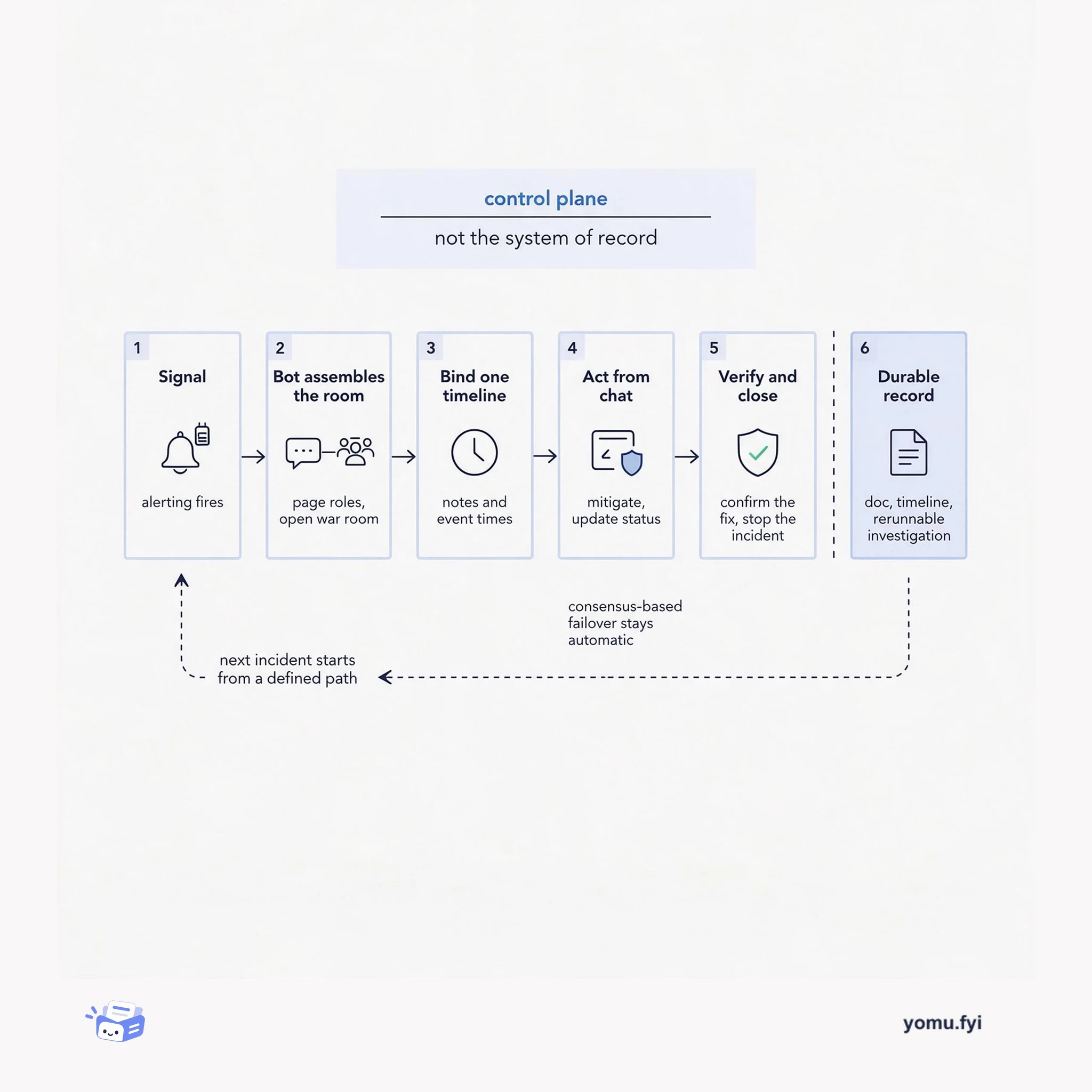
ChatOps turns a chat channel into the control plane for an incident: a bot pages roles, opens the room, runs mitigations, and timestamps every action. This flow shows where the channel helps and where it stops.
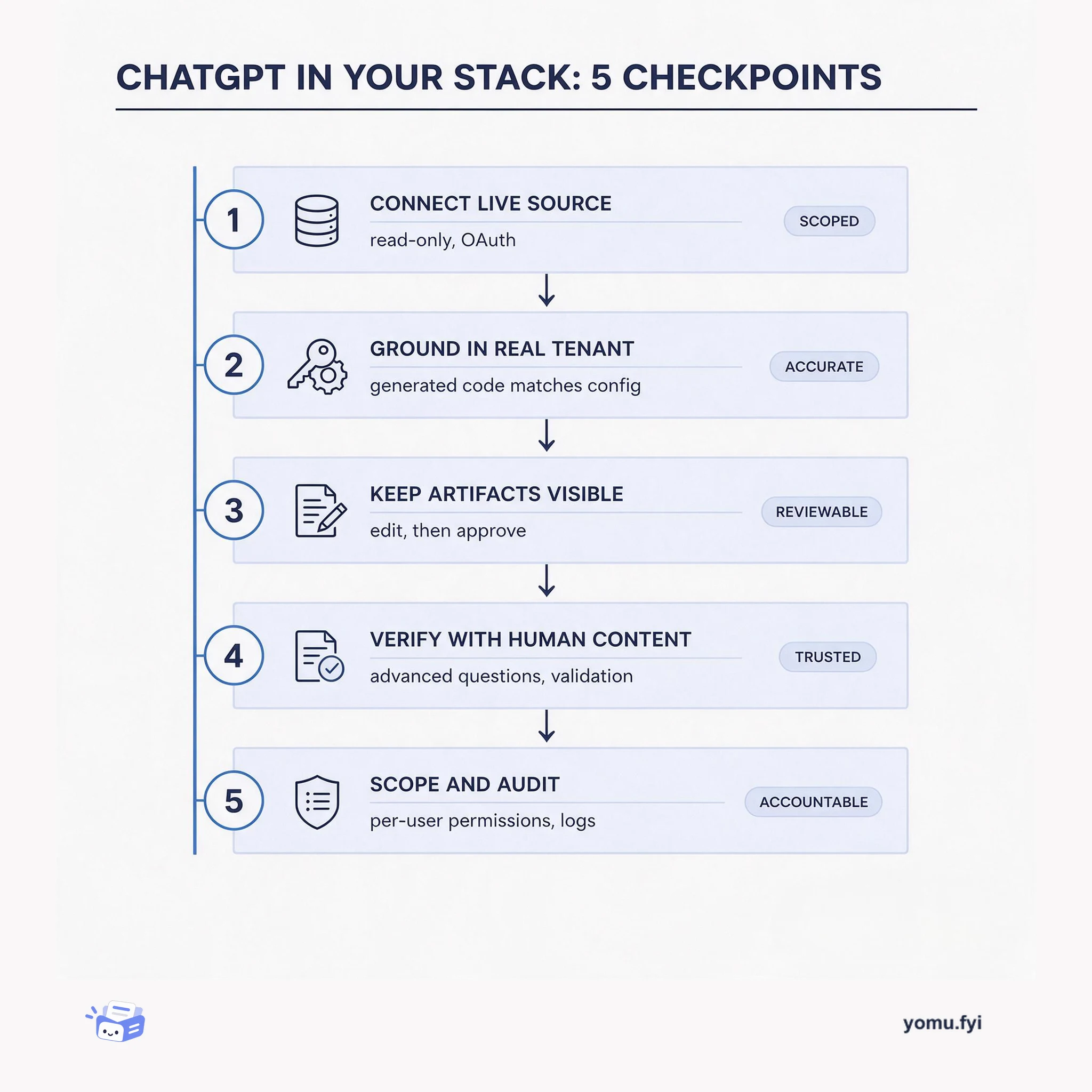
A five-checkpoint workflow for connecting ChatGPT to live data and identity systems: ground it in real sources, keep outputs inspectable, verify, and scope access.
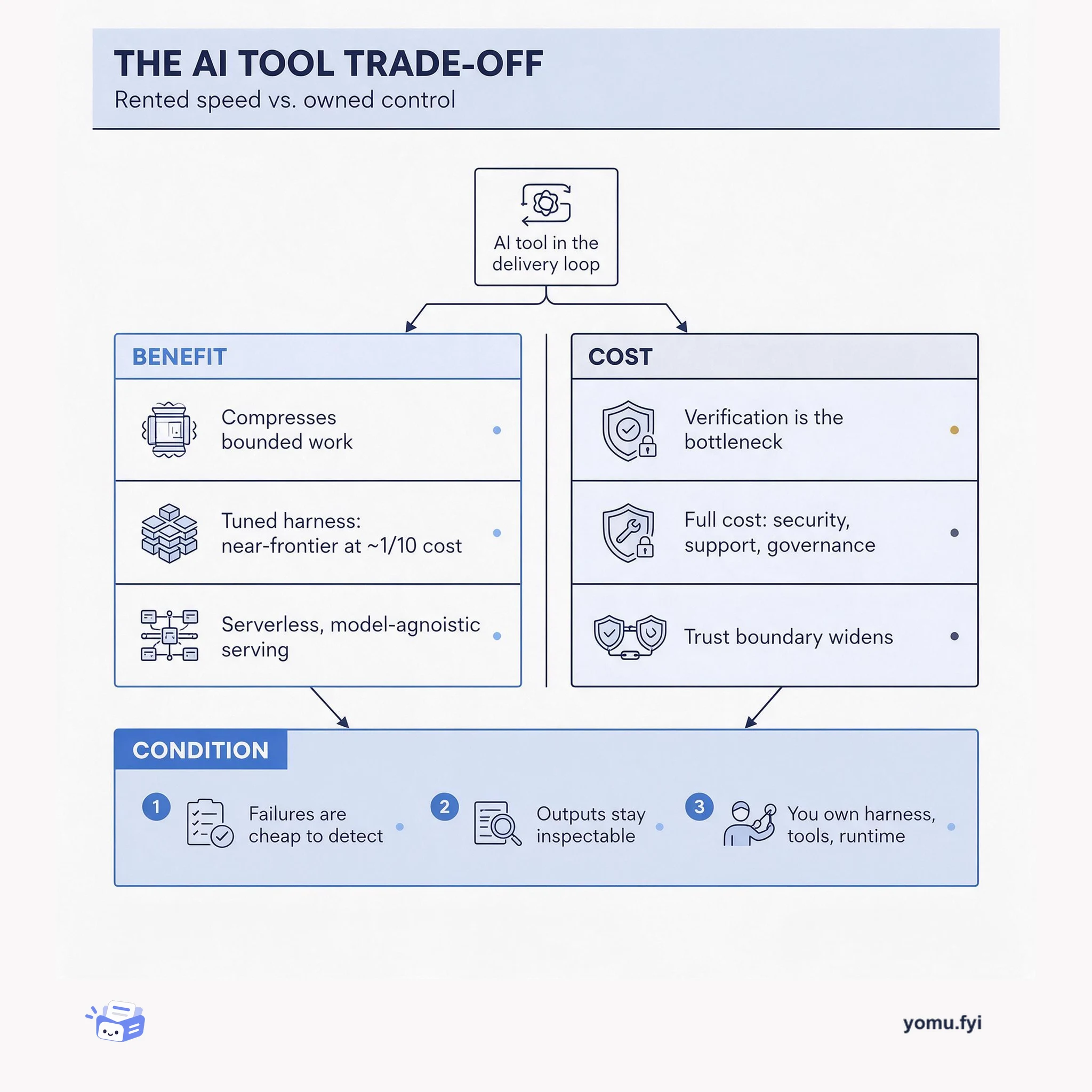
The AI tool trade-off: where AI compresses bounded work, what verification and governance really cost, and the condition that decides whether to rent capability or own the stack.
Keep reading
Related reading
The Good Stuff
Paid picks we use ourselves. Links carry a referral code — a subscription through one earns us a commission at no extra cost to you.